Workshop #2
Classification & Color
Meet the Buoy!
Later this semester, we will be deploying these Smokey Buoys!
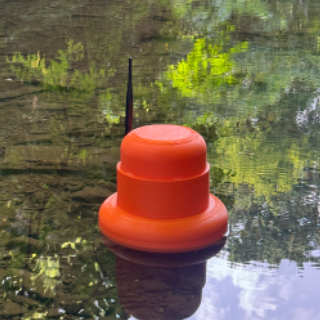
The Buoy: Test Strips

Start with the same test strips
The Buoy: Test Strips

Remove the pads and adhere onto a long strip of material
The Buoy: Test Strips

Roll up strip inside canister
The Buoy: Test Strips

Strip dispenses out of the canister to be fed through the roller
The Buoy: Other Parts!
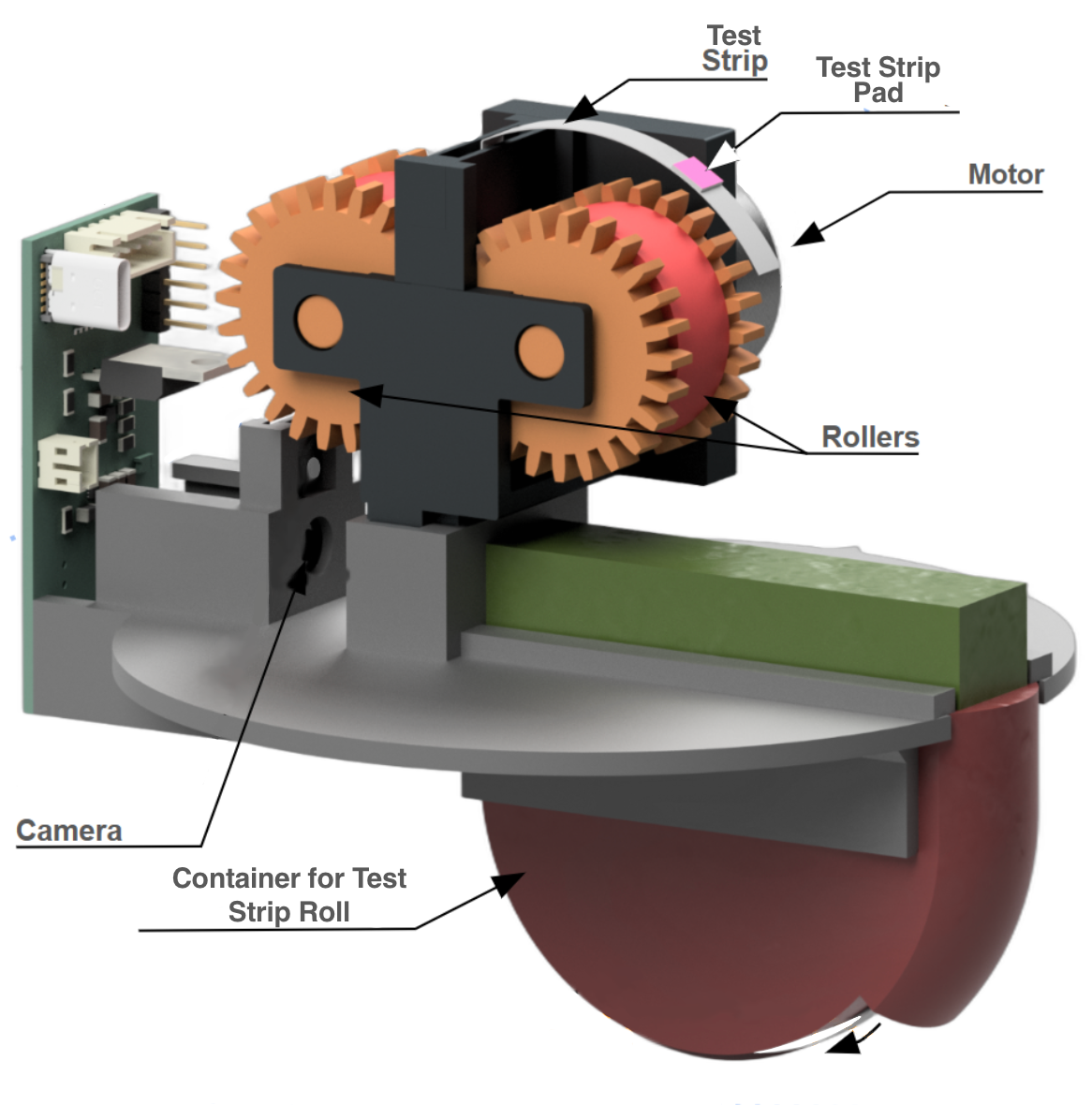
The Buoy: Container for Test Strip Roll
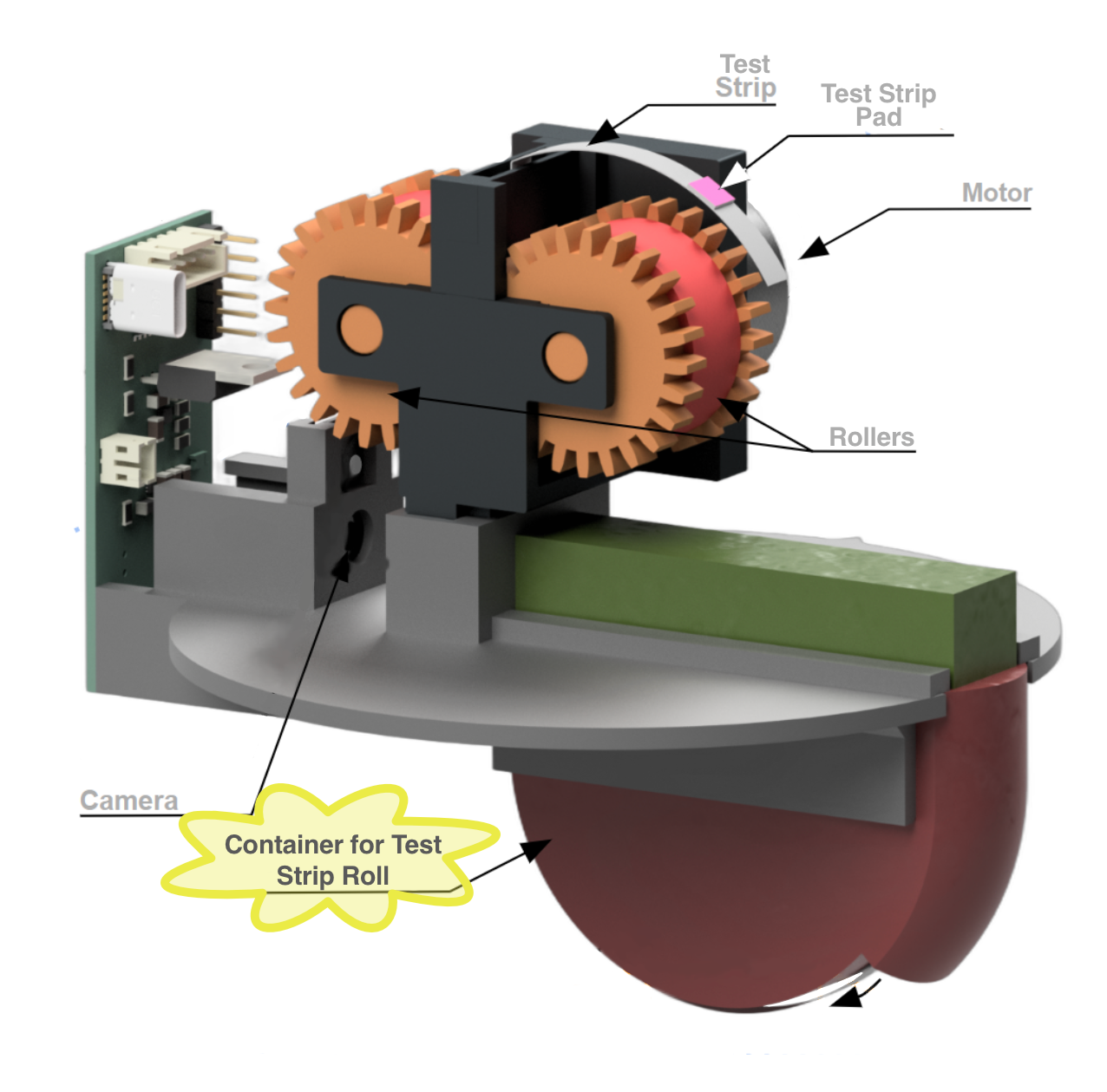
Container for Test Strip Roll
The canister stores the rolled-up test strip and feeds it out as the motor and rollers advances it.
The Buoy: Water Contact
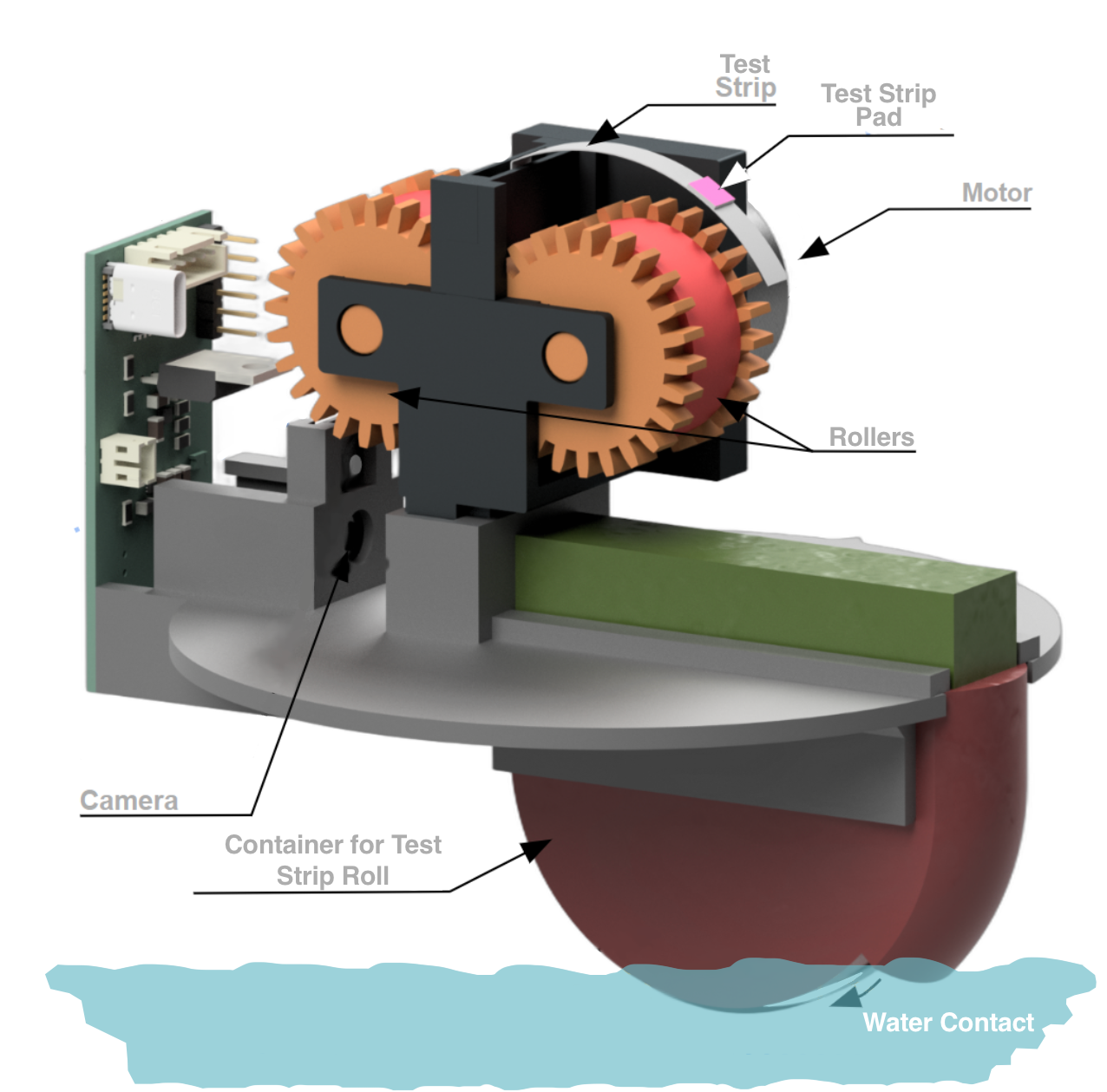
Water Contact
There is an opening in a chamber of the canister, allowing the strip to contact the water.
The Buoy: Test Strip
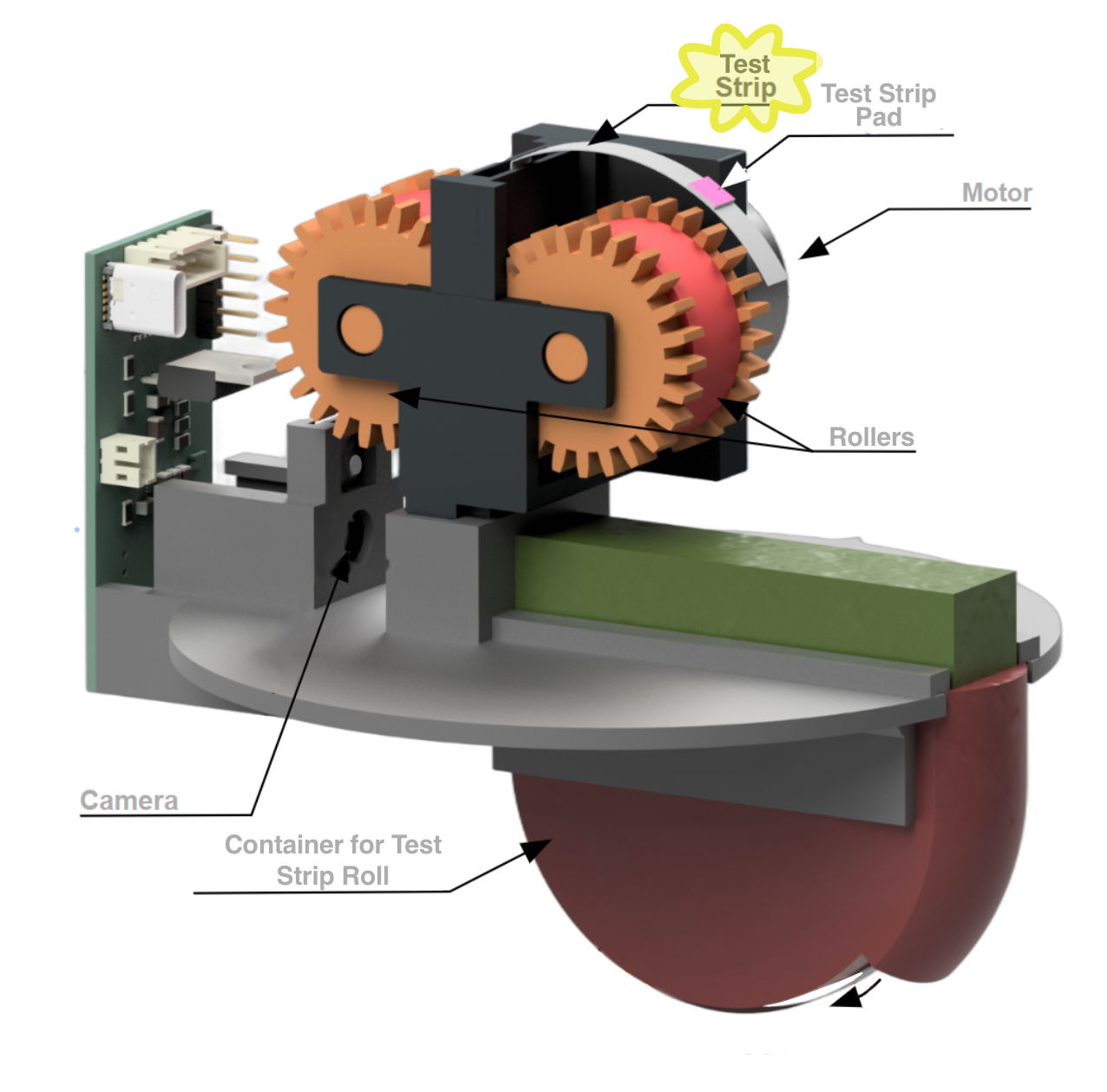
Test Strip
The test strip feeds up from the canister and through the rollers.
The Buoy: Test Strip Pad
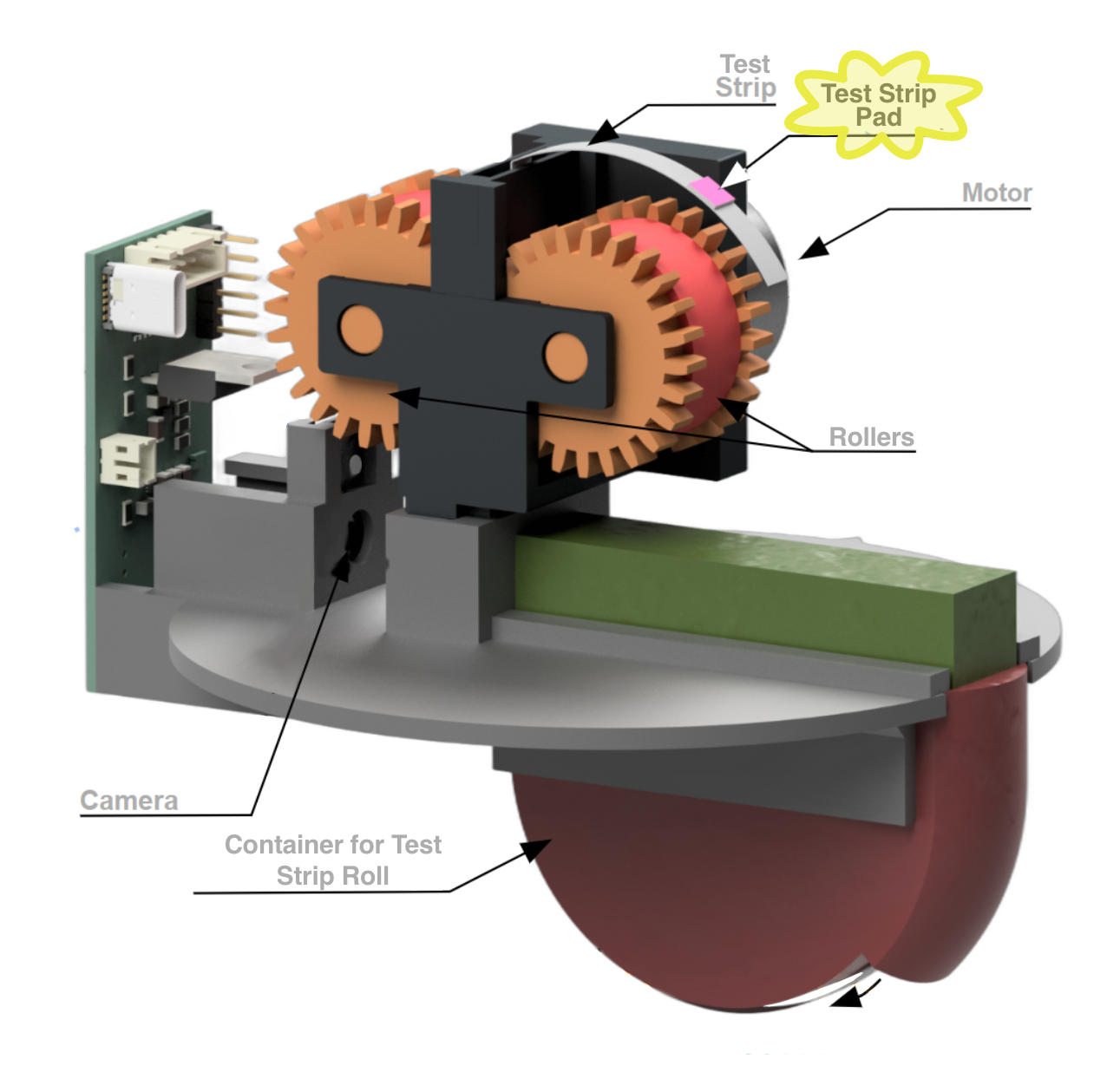
Test Strip Pad
The reactive pad on the strip changes color when exposed to nitrates in water.
The Buoy: Rollers
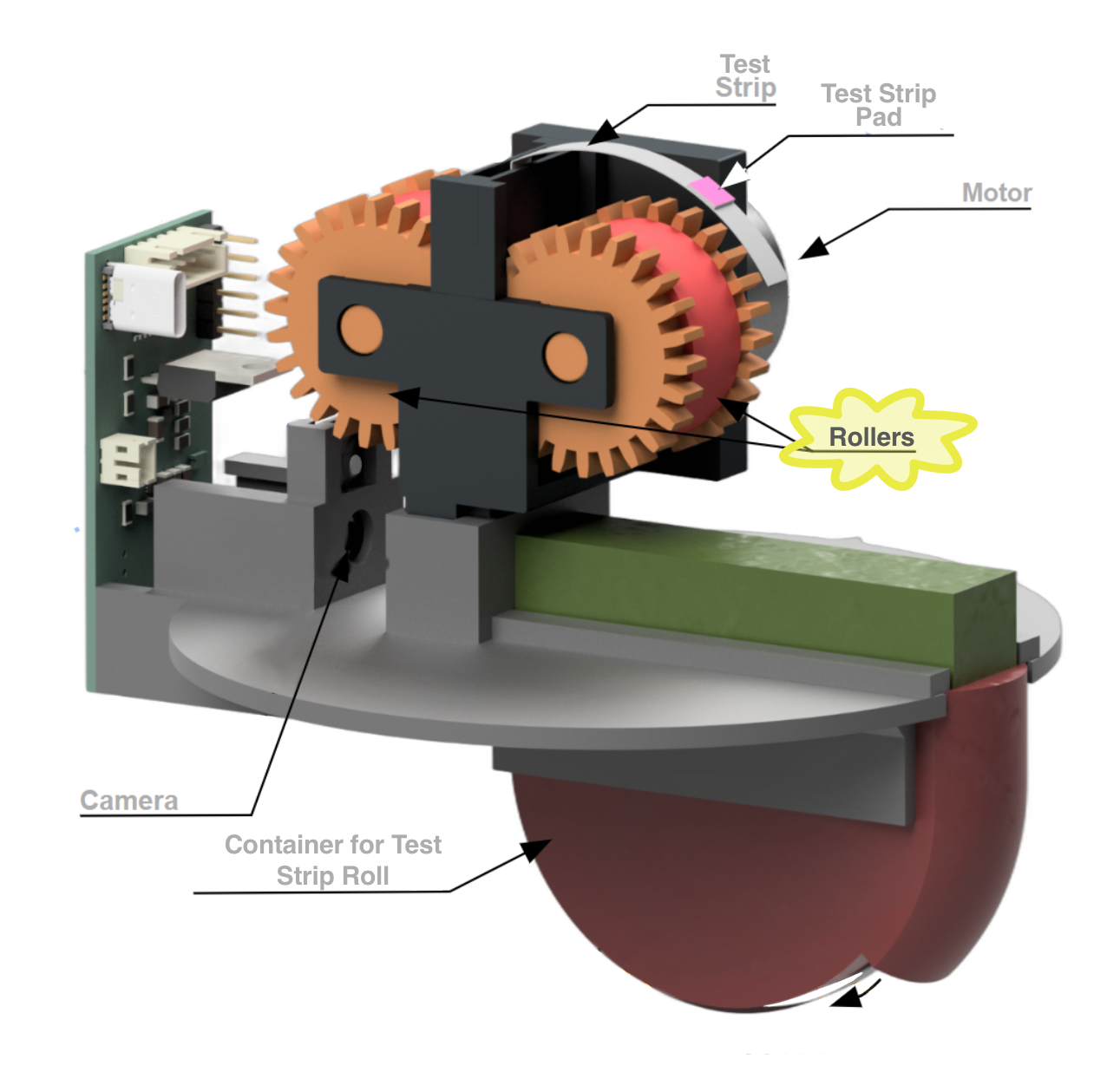
Rollers
The rollers grip the test strip and advance it.
The Buoy: Motor
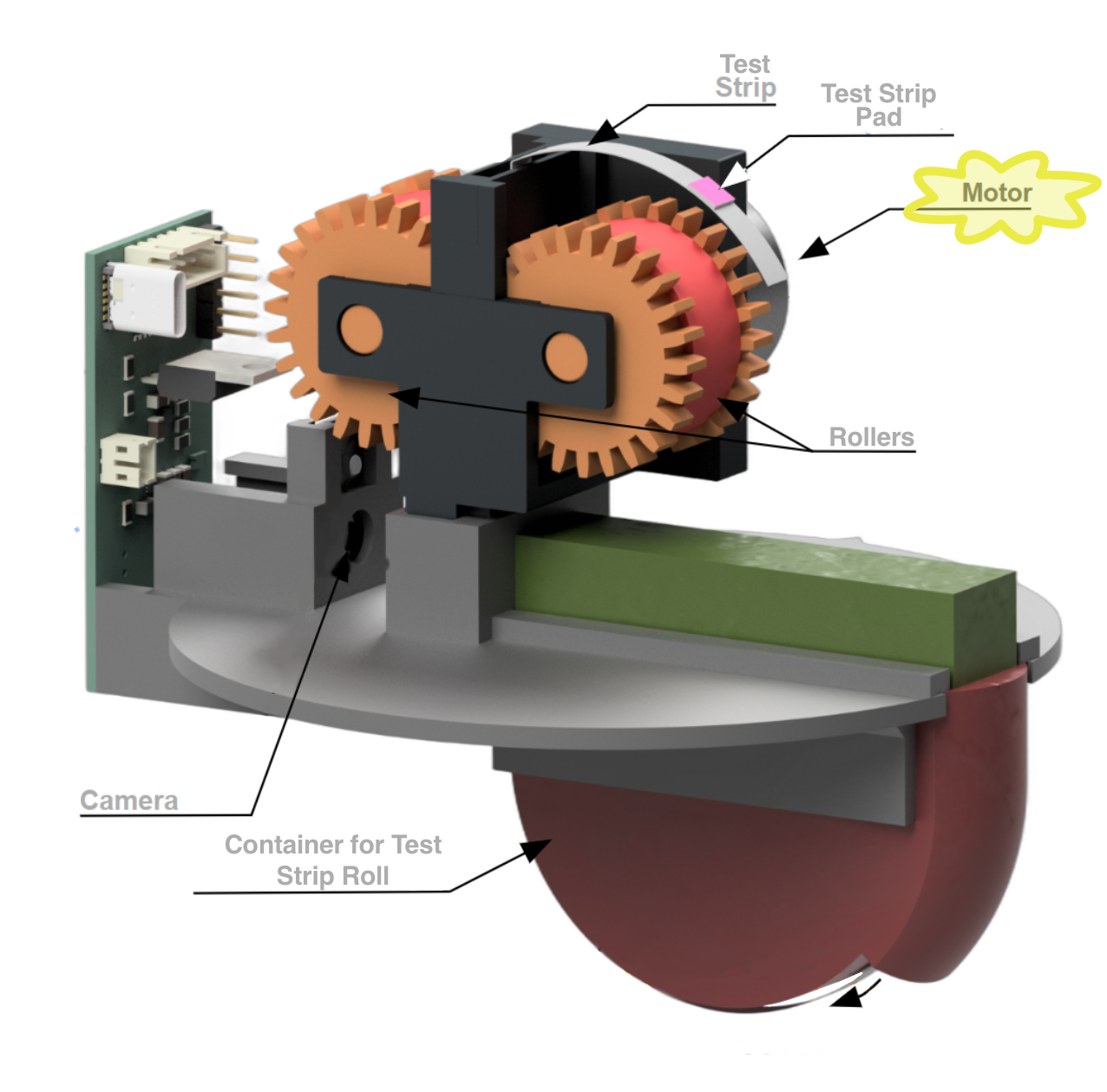
Motor
The motor drives the rollers, which grip and advance the test strip.
The Buoy: Camera
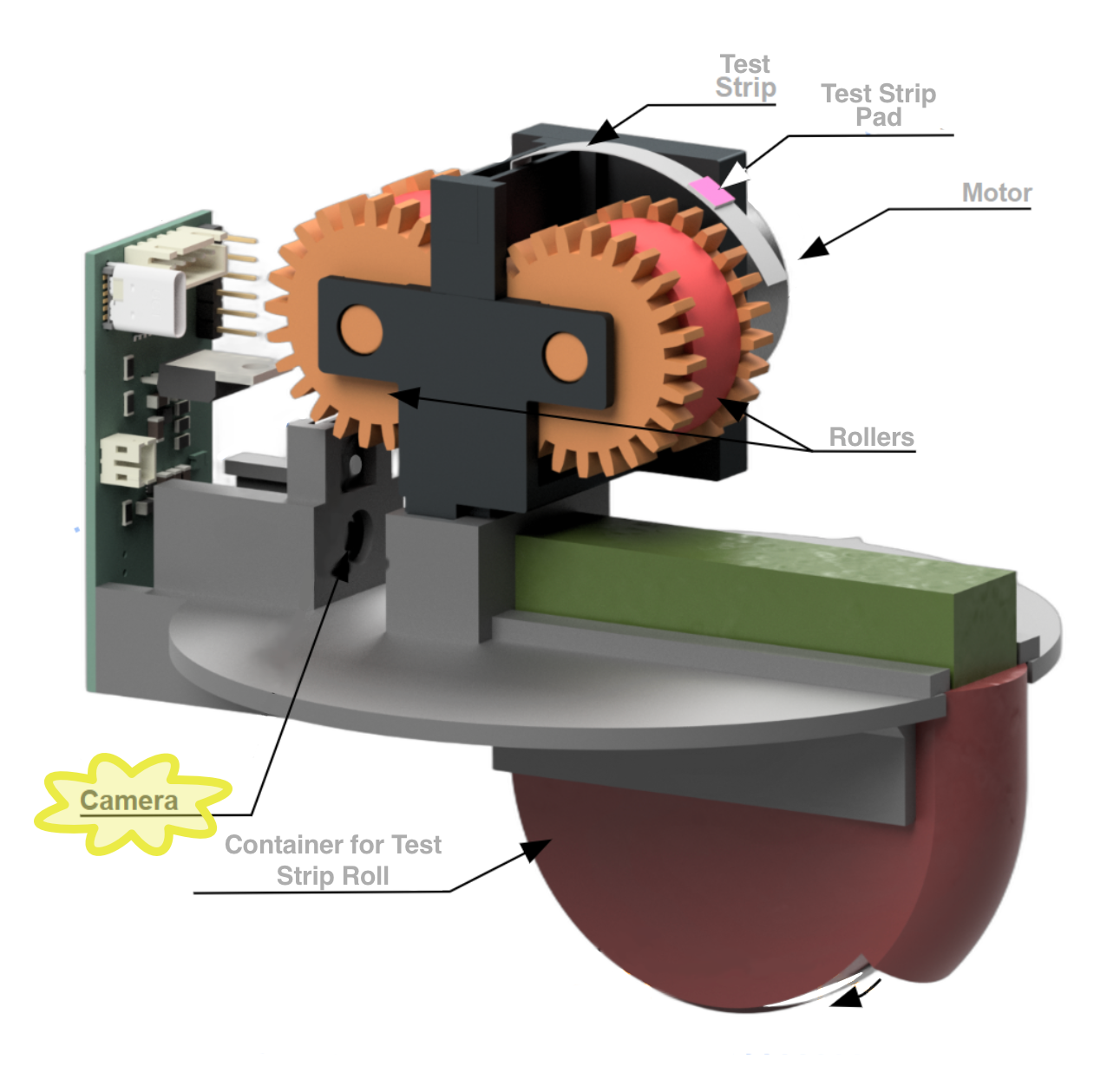
Camera
The camera acts like the “eyes” of the buoy. It watches for a pad to come into frame and, when it does, also takes a photo.
Intro to Classification
🎯 Checkpoint 2. a: Which banana(s) would you eat?
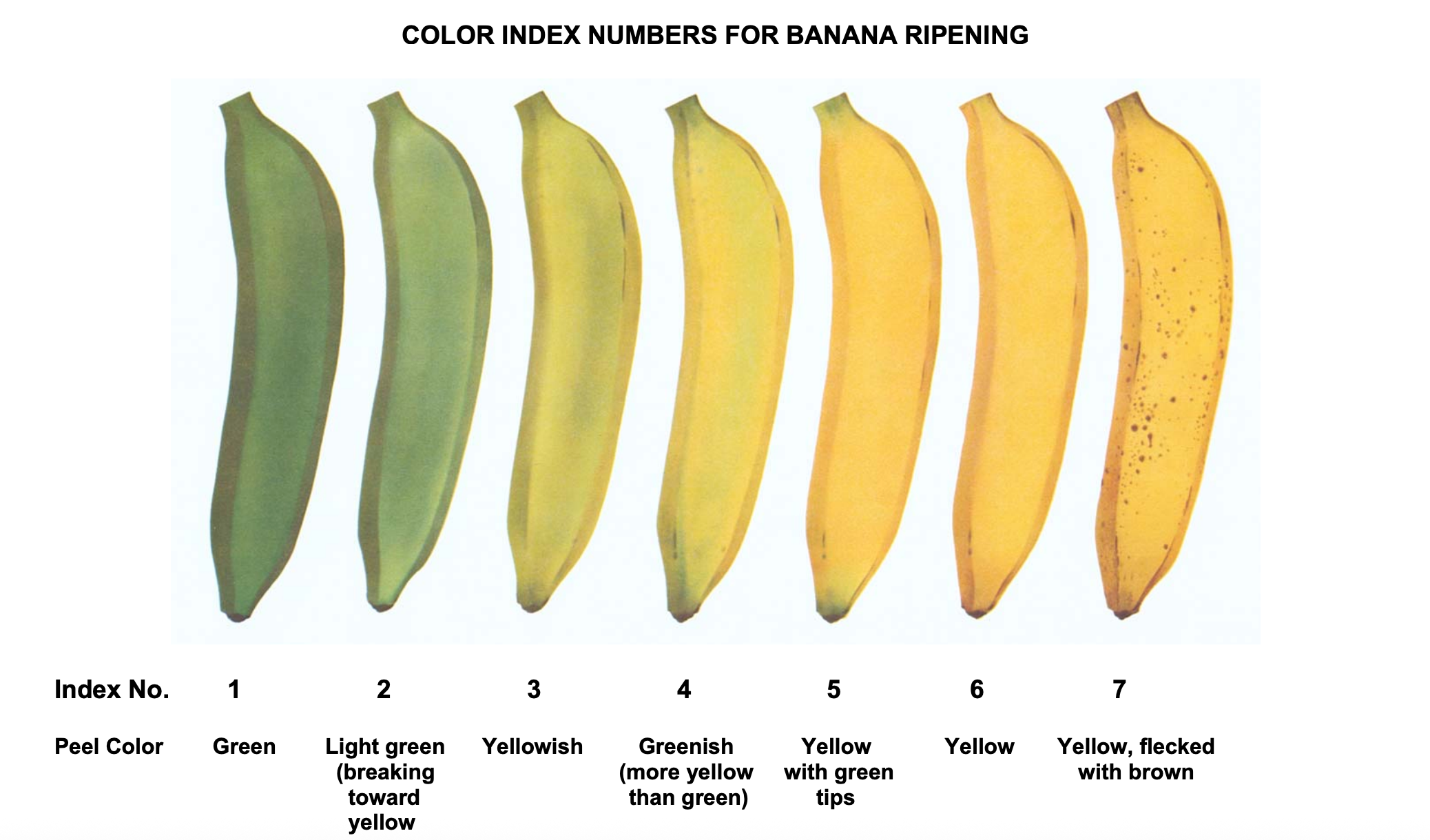
Source: US Department of Agriculture
Use of Classification in Agriculture
- AI can help make classification decisions, saving time and labor for farmers
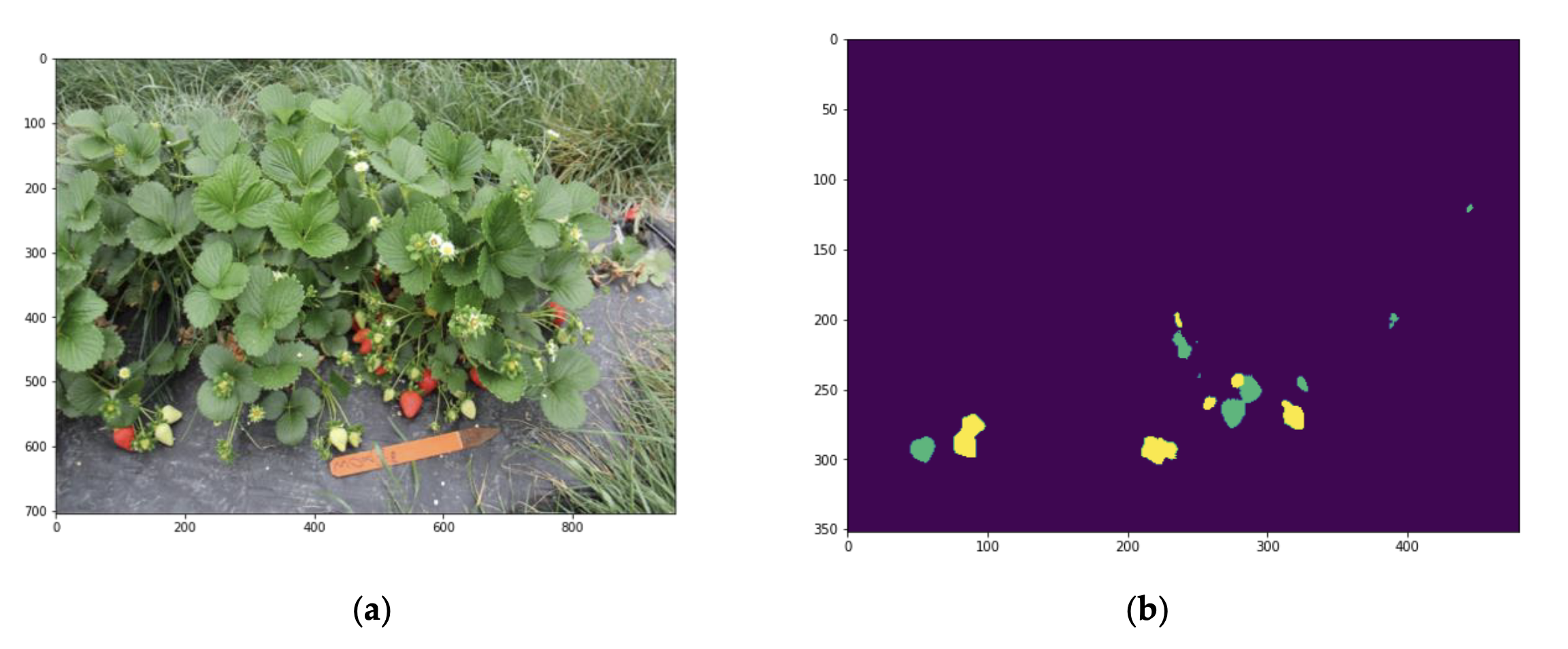
- Example: At University of Maryland, AI is used to identify ripe crops in fields
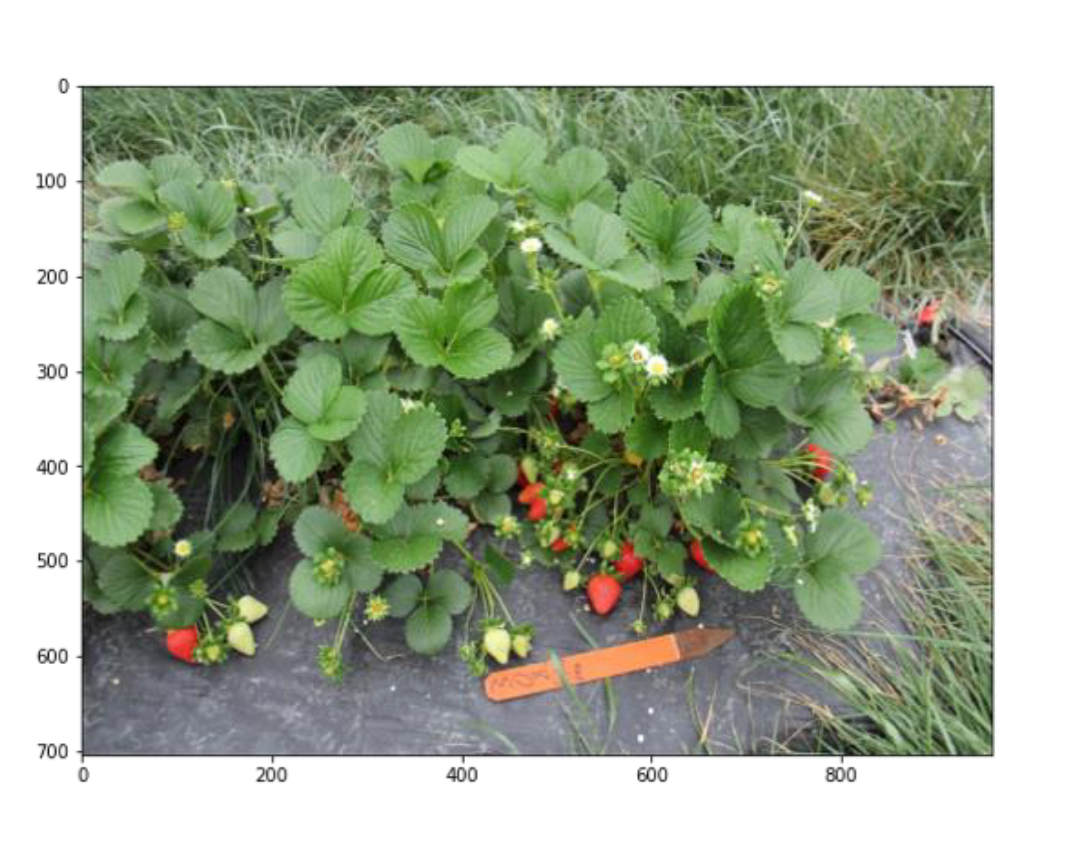
Use of Classification in Agriculture
🎯 Checkpoint 2. b: Review the figure below. In image (b), what do you think the yellow represents? The green?
💻 Teachable Machine

- Uses Python in the background
- Helps users build classification models
Evaluate Your Classifier
Use the “Preview” pane on the right side of the Teachable Machine screen
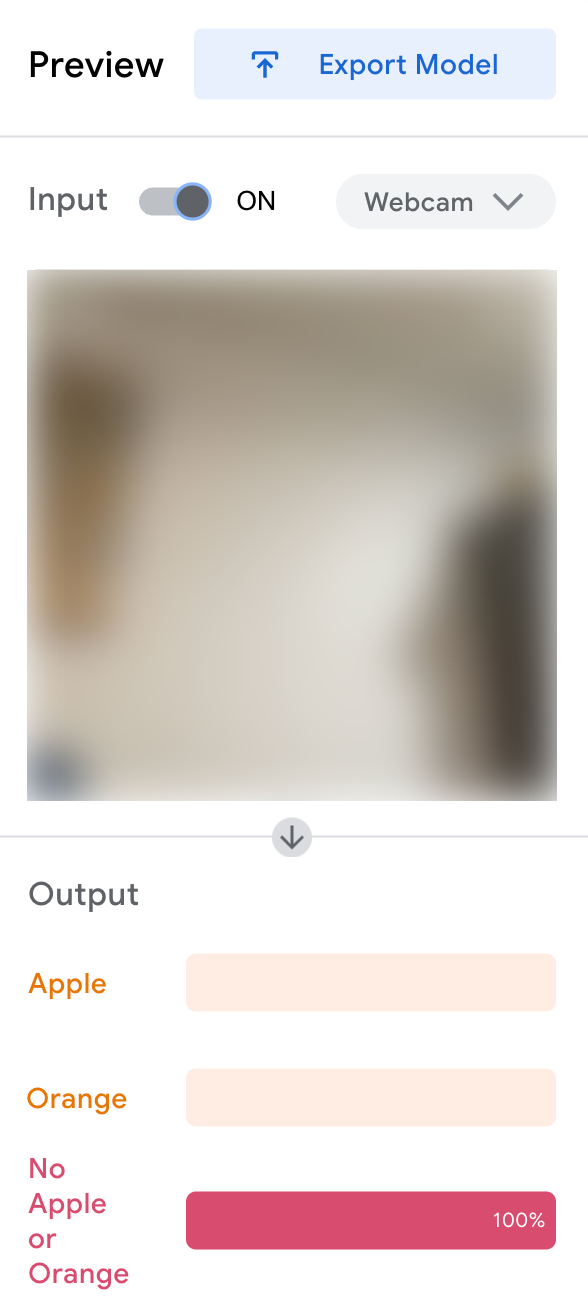
📝 Now test your model!
- Hold up each of your objects on your handout to the camera
- Record the results
- Does your model correctly classify each object?
- With what confidence?
Understanding RGB
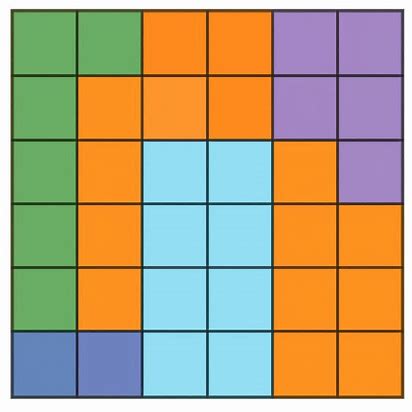
An image is a combination of millions of little squares called pixels
Understanding RGB
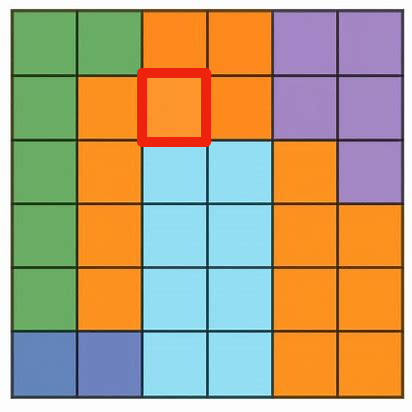
Each pixel has a color
Understanding RGB
Each color is a combination of three values:
- Red = 252
- Green = 148
- Blue = 43