Workshop #3

Regression & Prediction

Appalachian A. I. Corps @ UTK

Lesson Objective


In this lesson, you will learn how to use scatterplots and regression lines in Python to predict nitrate levels from RGB color values on test strips.

Materials Needed:

  • 💻 A computer with a webcam
  • A web browser (Chrome, Firefox, or Safari)

Workshop Structure


💻 Navigate to:

https://tinyurl.com/aaic-wq-3


Review


🎯 Checkpoint 1. a: Review—Looking back to Workshop #2

Last workshop we learned:

  • AI: Classification
    • Model Accuracy
  • Agricultural Uses of Classification
  • Data Ownership
  • Computers & Color

🎨 Quick Catch Up: Computers & Color Activity

RGB Values –> Color


🎯 Checkpoint 7. a: Using RGB Values to Create Color

Materials Needed:

  • 💻 Slider Tool on Pg. 0
  • 📝 Handout from last workshop

Using RGB Values to Create Color


  • Use the slider tool below to convert the RGB values (from last workshop) to colors
  • Record your answers on the handout
  • We’ll do one together!

Slide the R, G, or B to see how it affects the color of the square!

R:
128
G:
128
B:
128

Using RGB Values to Create Color


🎯 Checkpoint 7. b: Use the slider tool!

What color does this RGB value represent? (110, 164, 212)

Just like the computer last workshop, try to classify/make a prediction about what fruit this could be!

Workshop #3

Remember Me, Smokey Buoy!?


We met Smokey Buoy last workshop and learned a bit about how it works.
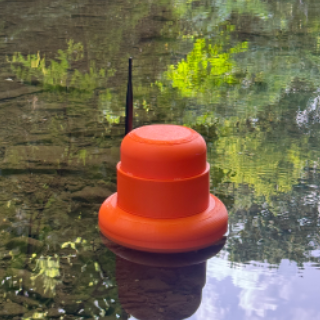
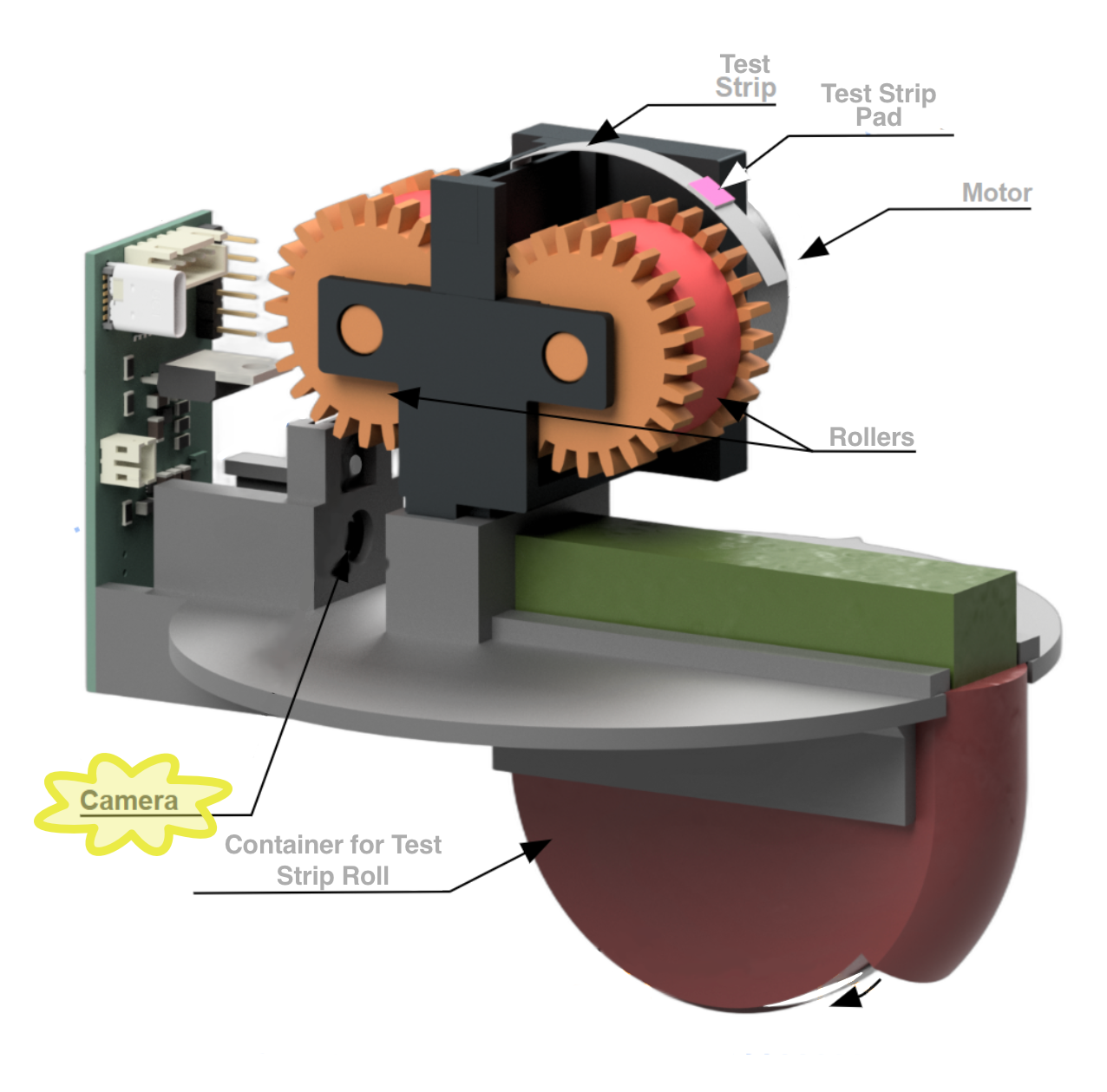
Smokey Buoy: Components


Let’s recall Smokey’s components and how they work together
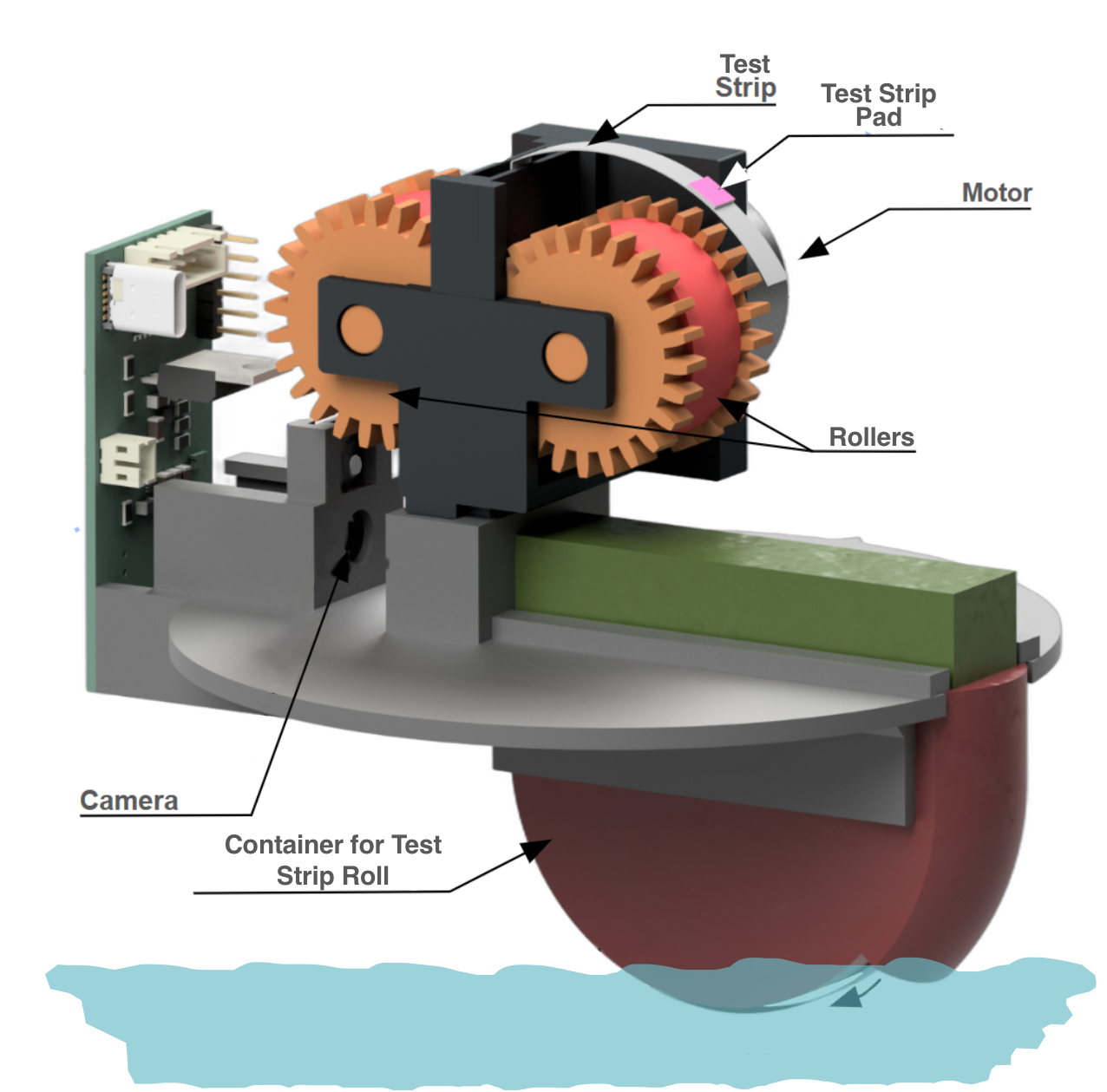
Smokey Buoy: 🎥 Camera


Smokey Buoy’s camera has two jobs:

  • Watch for a test pad
    • We talked about this last workshop!
    • Recall: What is the process called?
  • When pad is present, take a picture
    • We’ll discuss what happens with the picture today!
    • A new process!

Introduction to Regression

Introduction to Regression


  • Last workshop, we learned about classification.
  • In this workshop, we will learn about regression.
  • Regression is all about predicting something (a number!) from something else (other numbers).

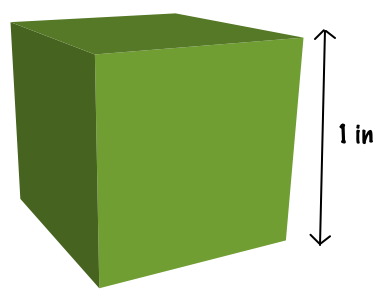
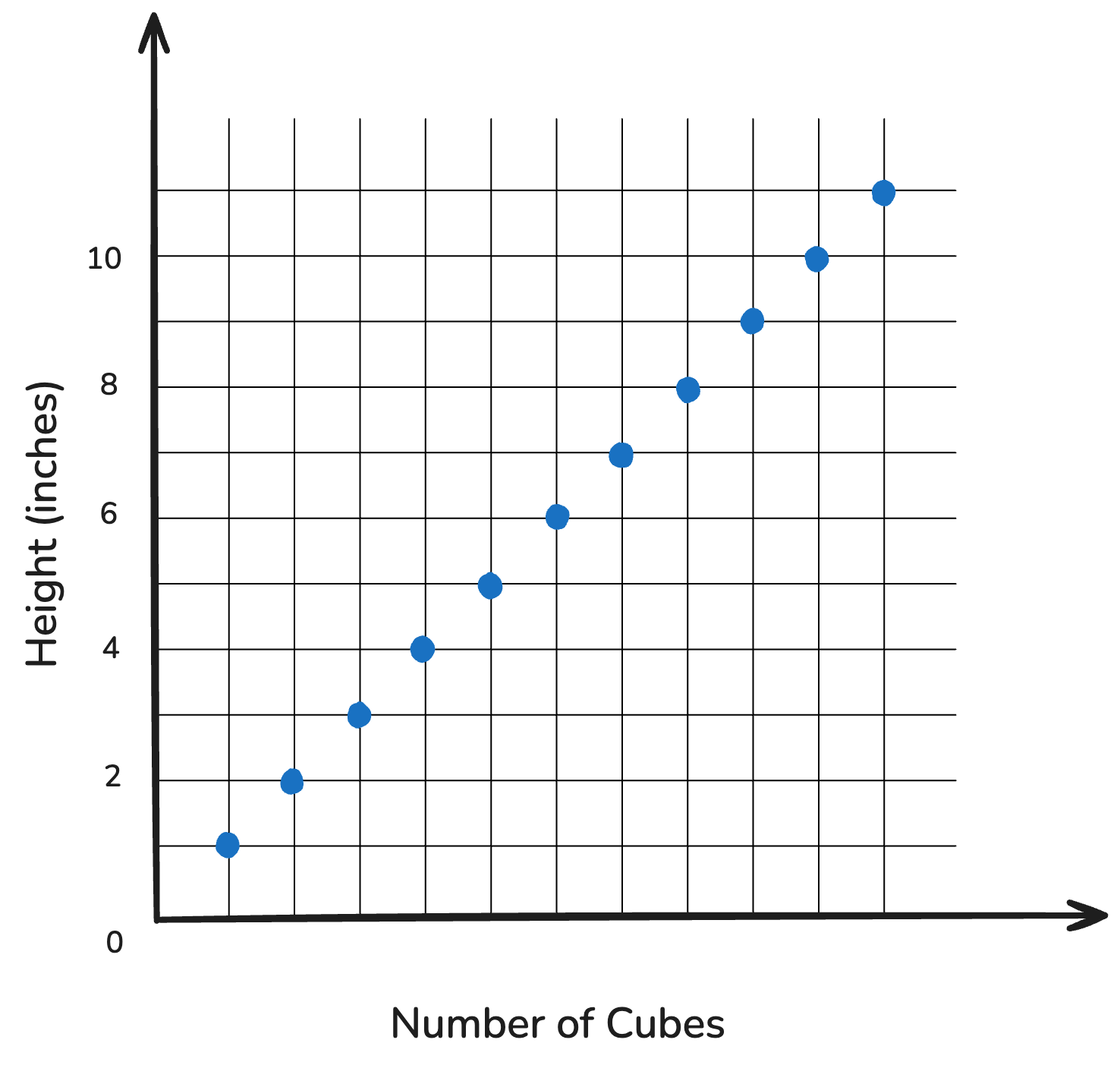
Scenario 1: Cube Towers


  • We want to build a tower
  • We have 1” inch cubes to use

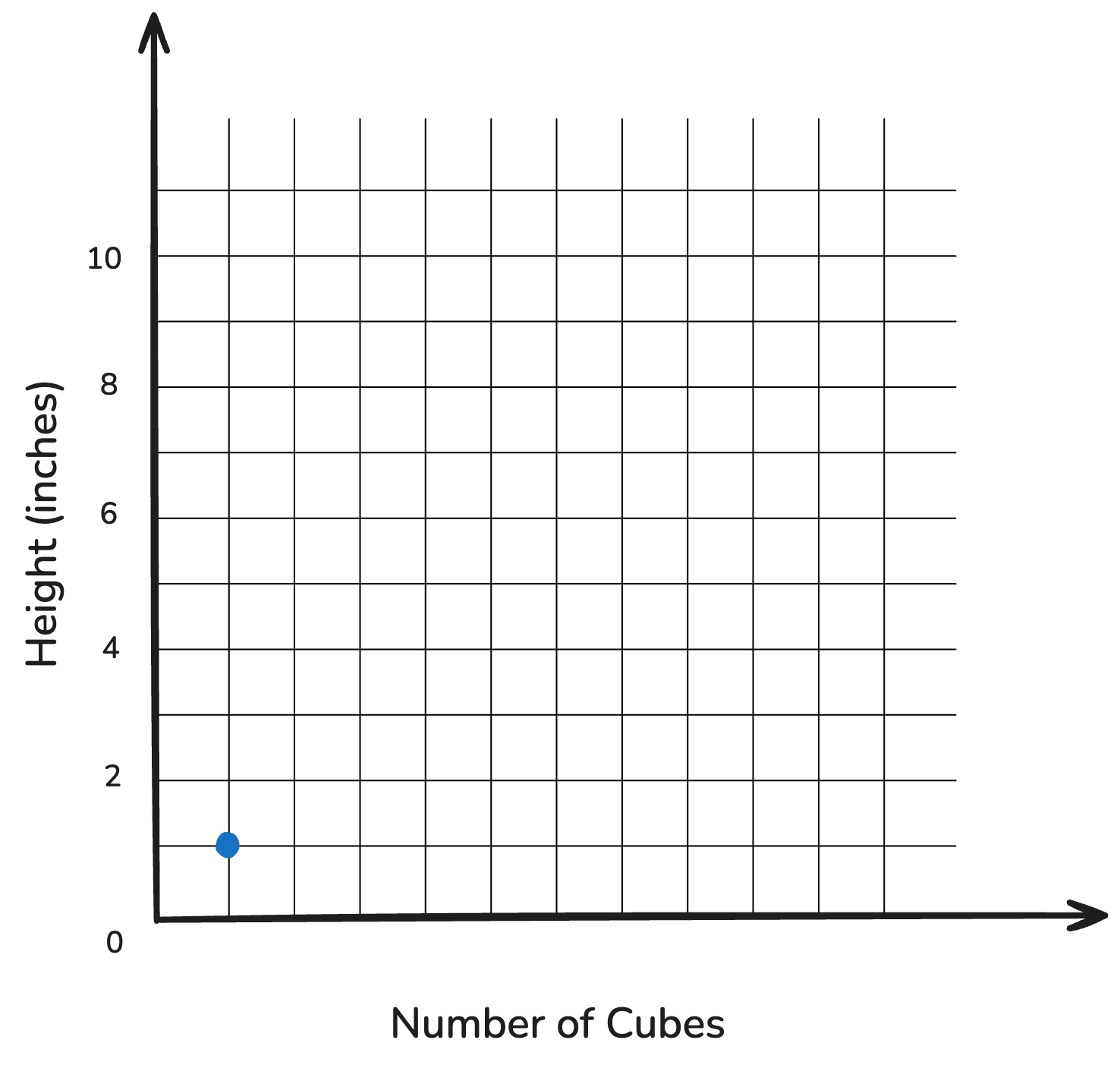
📝 Let’s Predict! — 1 Cube


# of Cubes Height (inches)
1 1

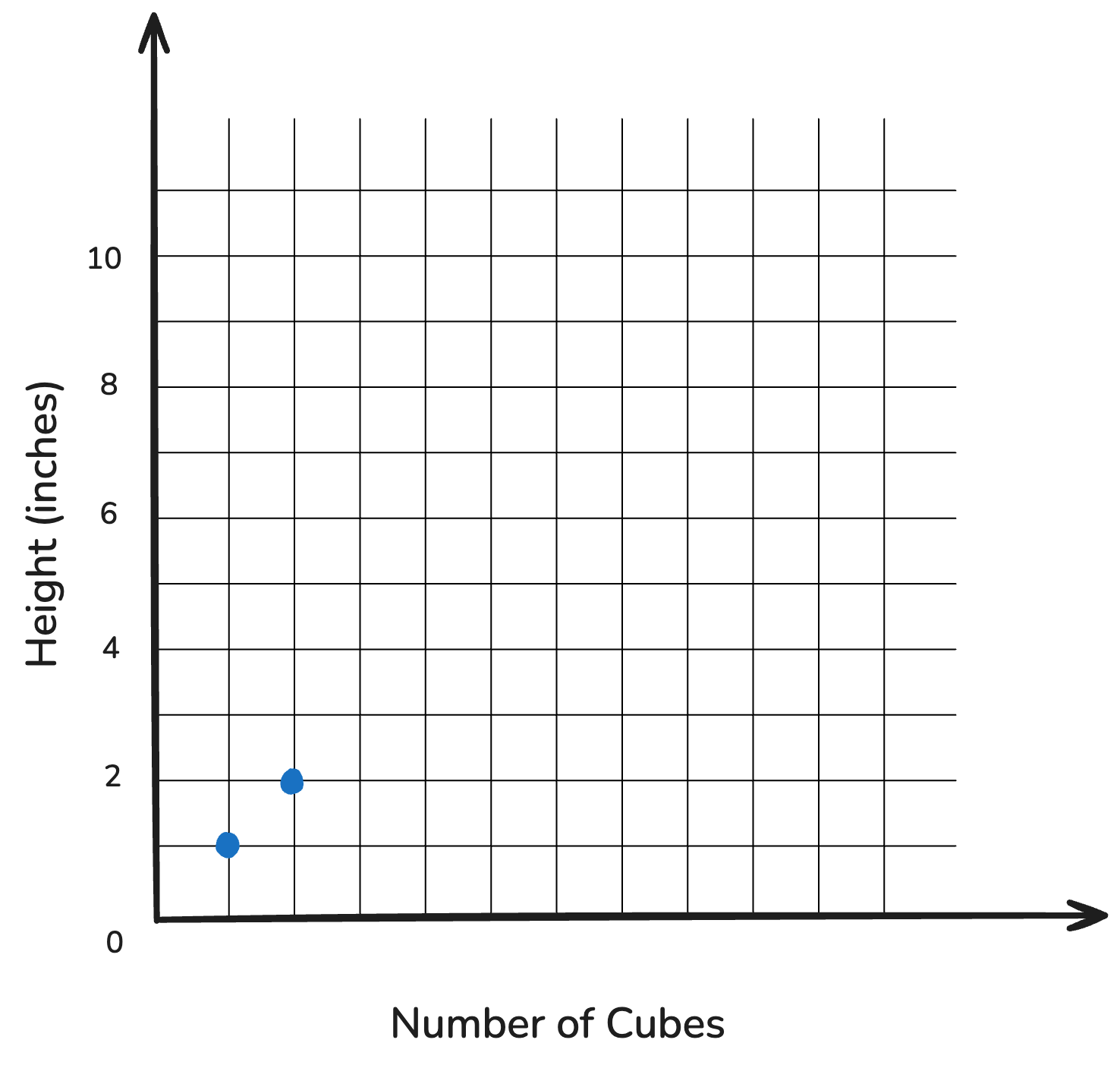
📝 Let’s Predict! — 2 Cubes


# of Cubes Height (inches)
1 1
2

📝 Let’s Predict! — 2 Cubes


# of Cubes Height (inches)
1 1
2 2

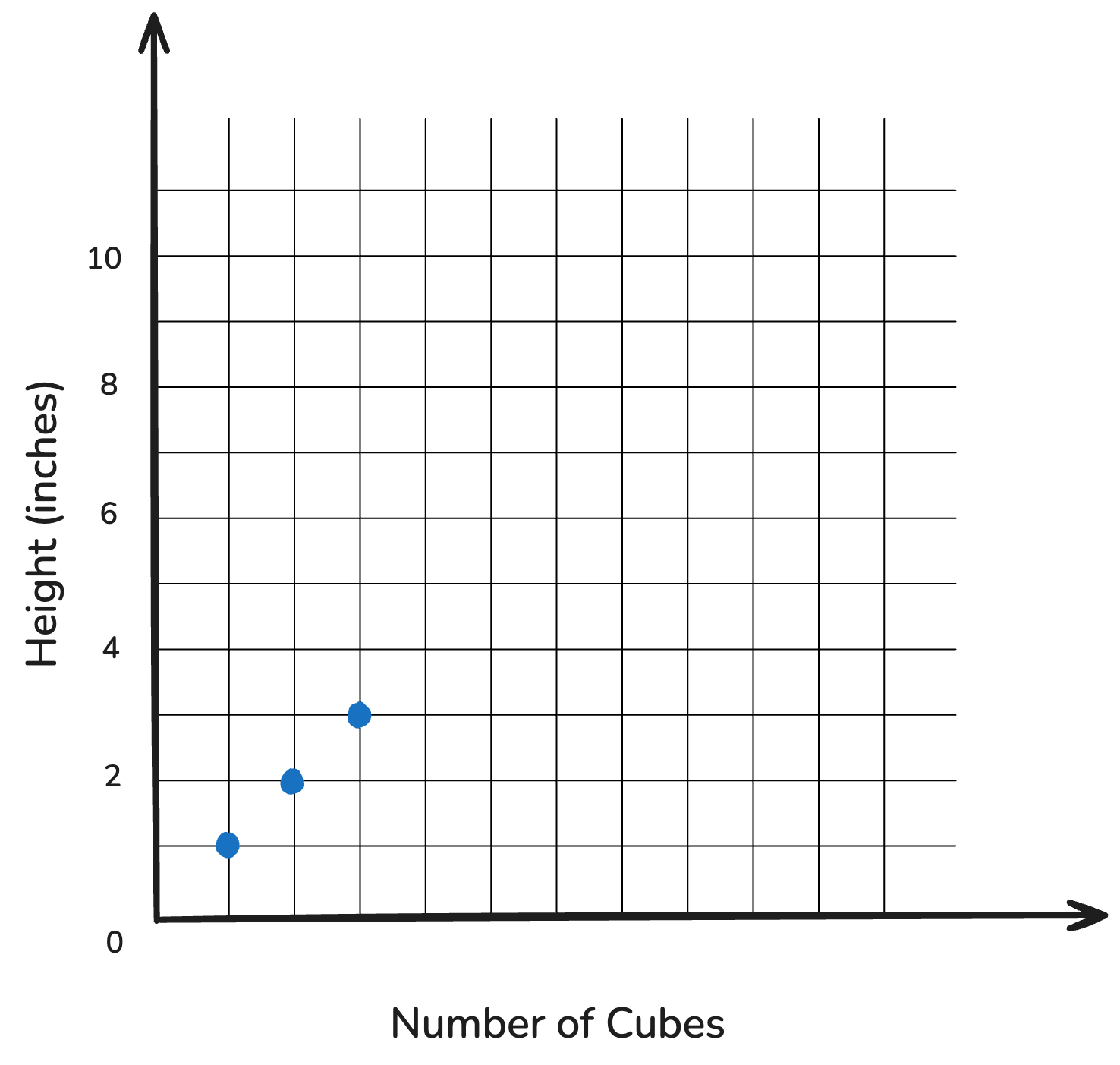
📝 Let’s Predict! — 3 Cubes


# of Cubes Height (inches)
1 1
2 2
3

📝 Let’s Predict! — 3 Cubes


# of Cubes Height (inches)
1 1
2 2
3 3

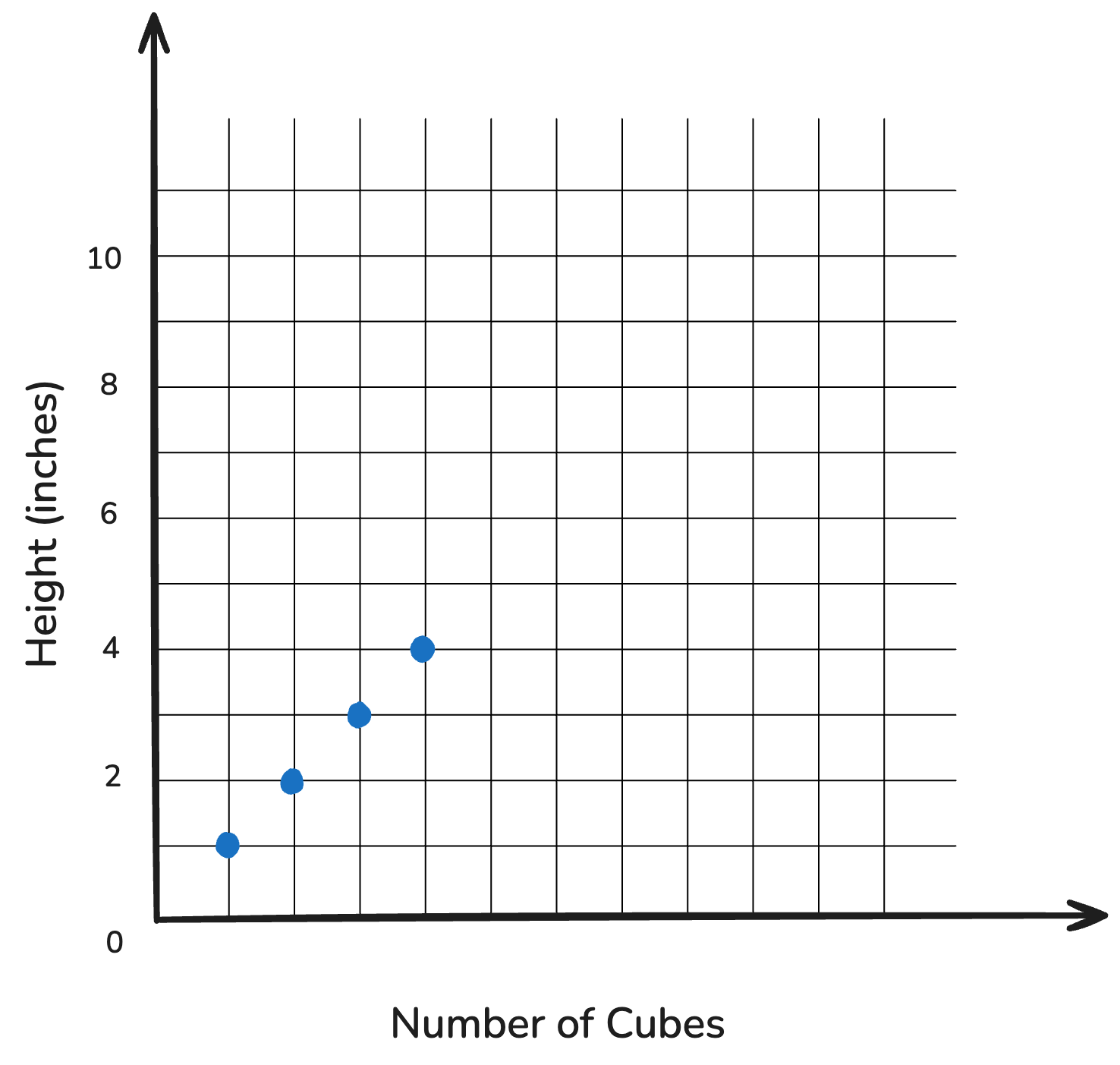
📝 Let’s Predict! — 4 Cubes


# of Cubes Height (inches)
1 1
2 2
3 3
4

📝 Let’s Predict! — 4 Cubes


# of Cubes Height (inches)
1 1
2 2
3 3
4 4

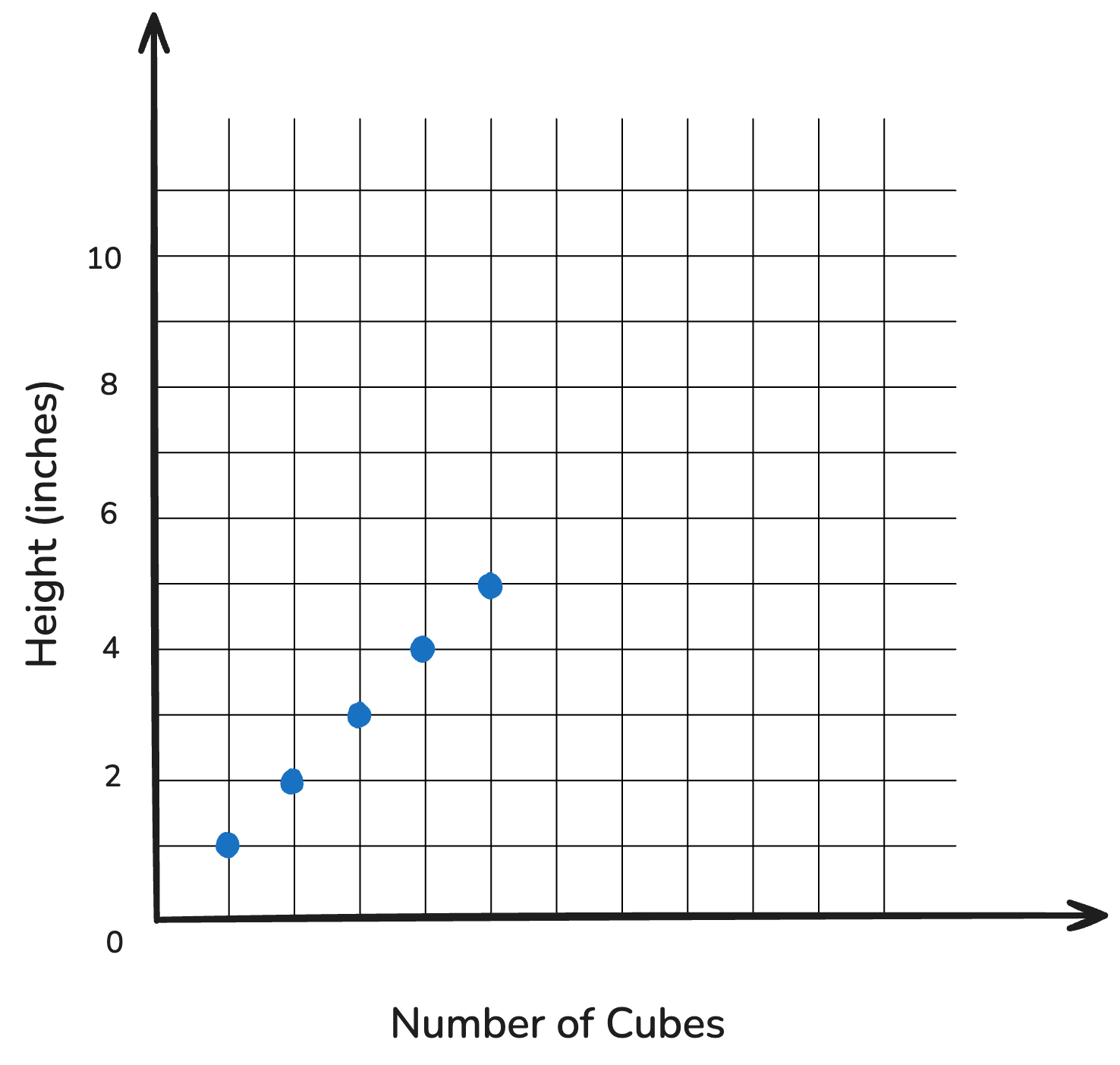
📝 Let’s Predict! — 5 Cubes


# of Cubes Height (inches)
1 1
2 2
3 3
4 4
5

📝 Let’s Predict! — 5 Cubes


# of Cubes Height (inches)
1 1
2 2
3 3
4 4
5 5

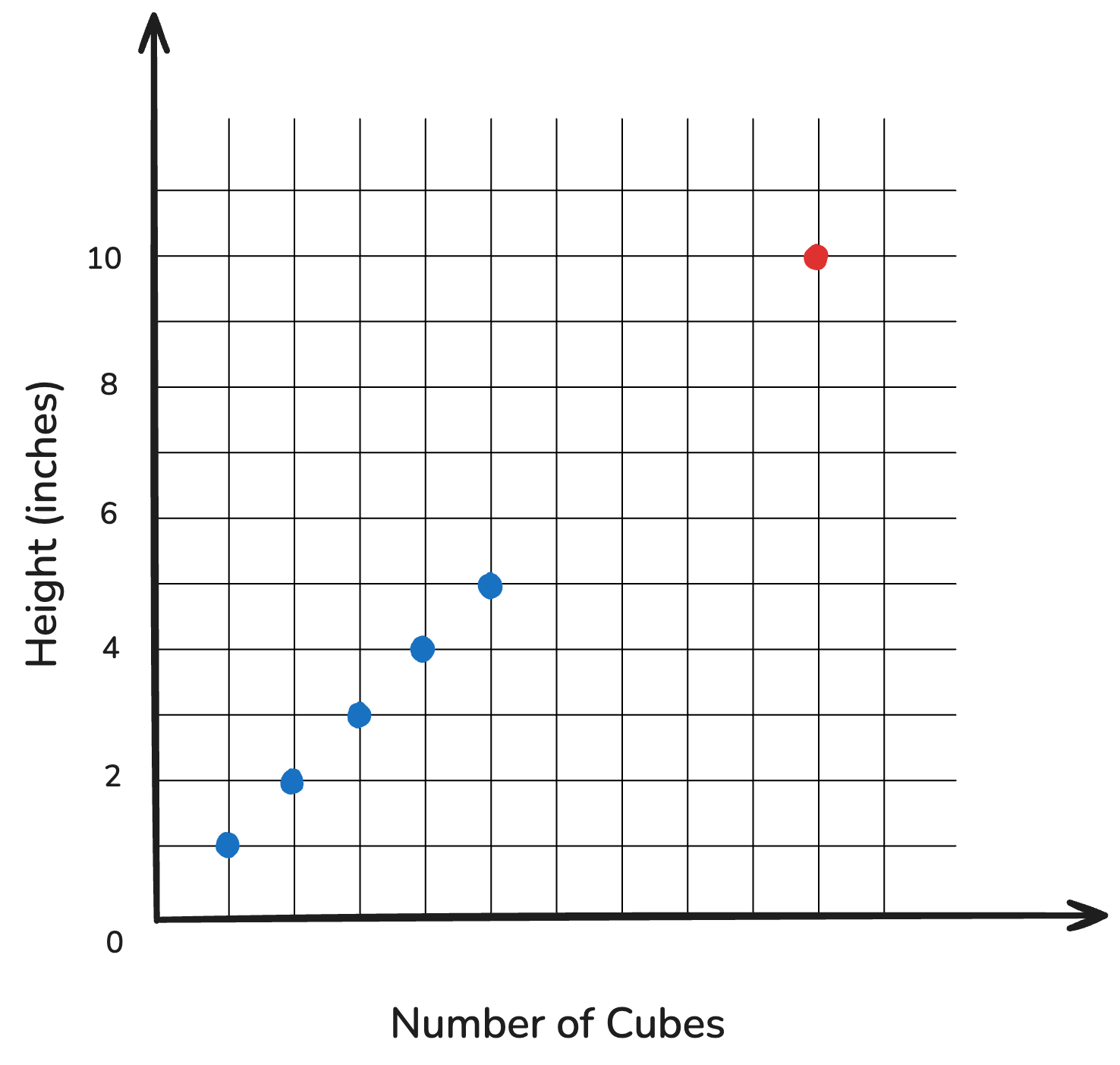
📝 Let’s Predict! — 10 Cubes


# of Cubes Height (inches)
1 1
2 2
3 3
4 4
5 5
10

📝 Let’s Predict! — 10 Cubes


# of Cubes Height (inches)
1 1
2 2
3 3
4 4
5 5
10 10

🗣️ Discuss: In Your Group


🎯 Checkpoint 2. a:

Q1: How tall will our tower be if we use 100 cubes?

Q2: Your friend argues that the tower will be 99 inches tall. What would you tell him? Why?

Scenario 2: Cheap Uncle Bob


  • We want to build a much taller tower than our current 10” one, but we ran out of 1” cubes.
  • 🎉 Uncle Bob volunteers to make us more cubes — cheaper!

Scenario 2: Cheap Uncle Bob


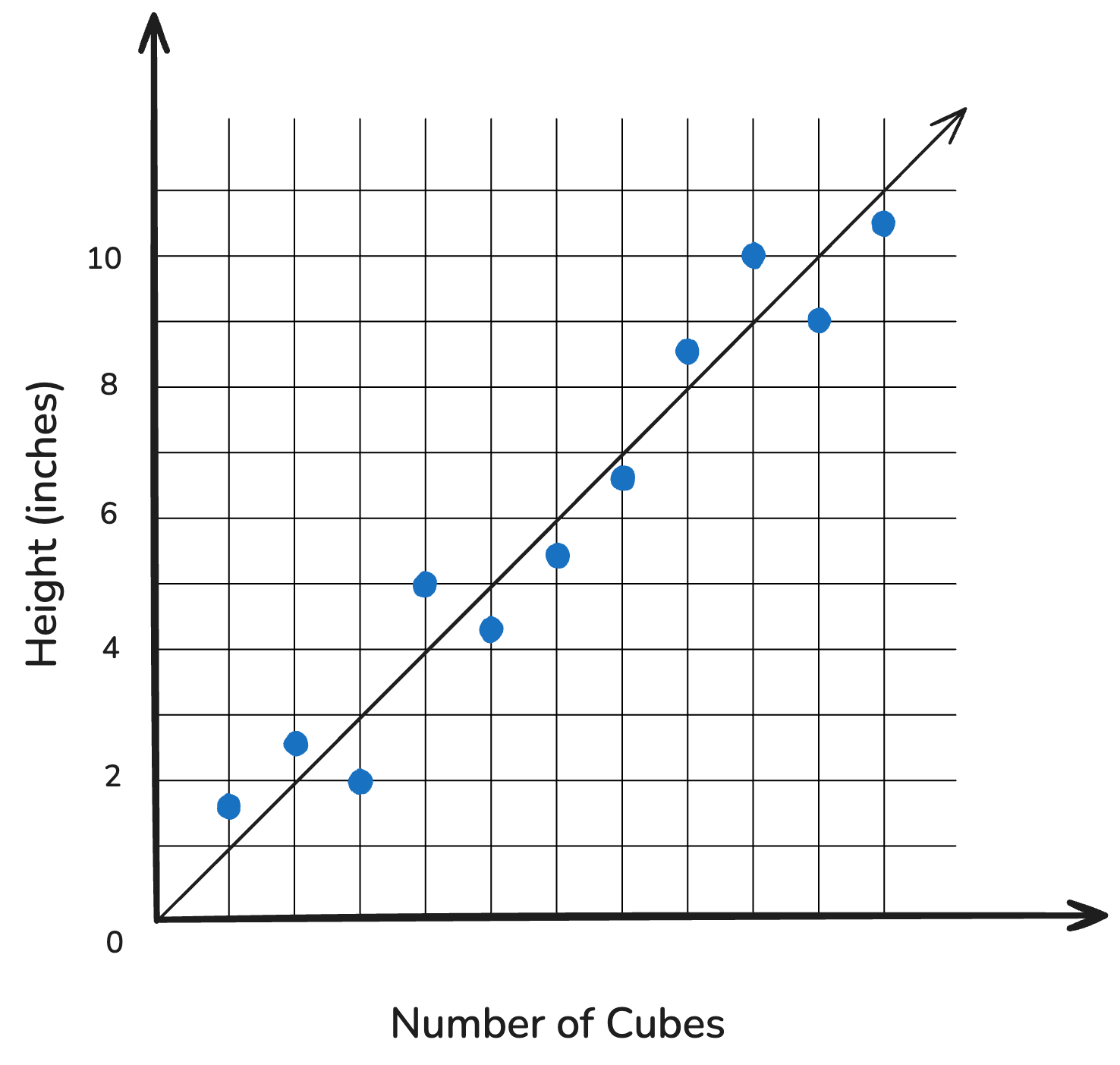
Oh no! Uncle Bob’s cubes are all slightly different heights!
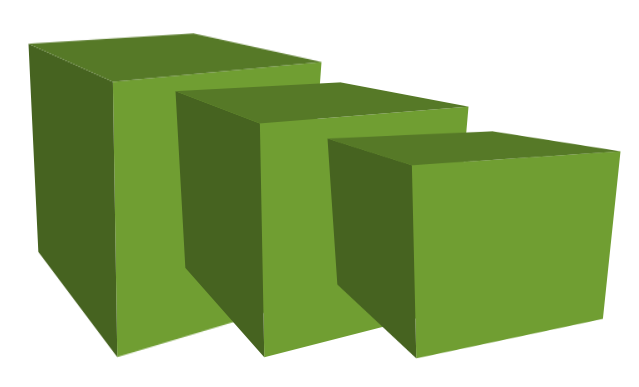
🗣️ Discuss: In Your Group


🎯 Checkpoint 2. b:

How will Uncle Bob’s new cubes affect our tower height predictions?

The Case for Regression

The Case for Regression
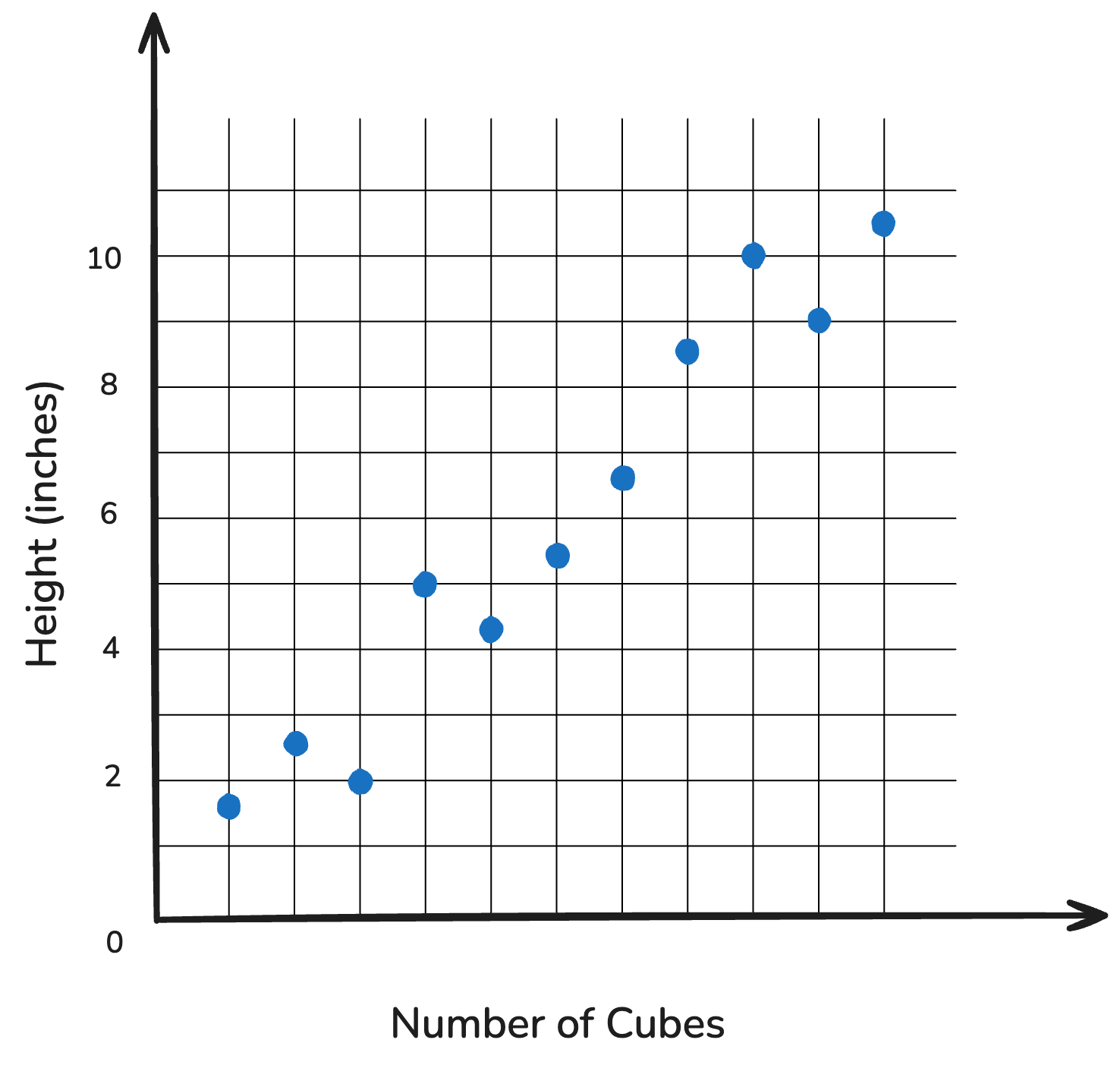

True with perfectly 1” cubes

The Case for Regression


Reality with Uncle Bob’s cubes

Bob’s cubes saved us money, but now tower heights are all over the place.

We need a better way to predict.

How Do We Fit Our Line?
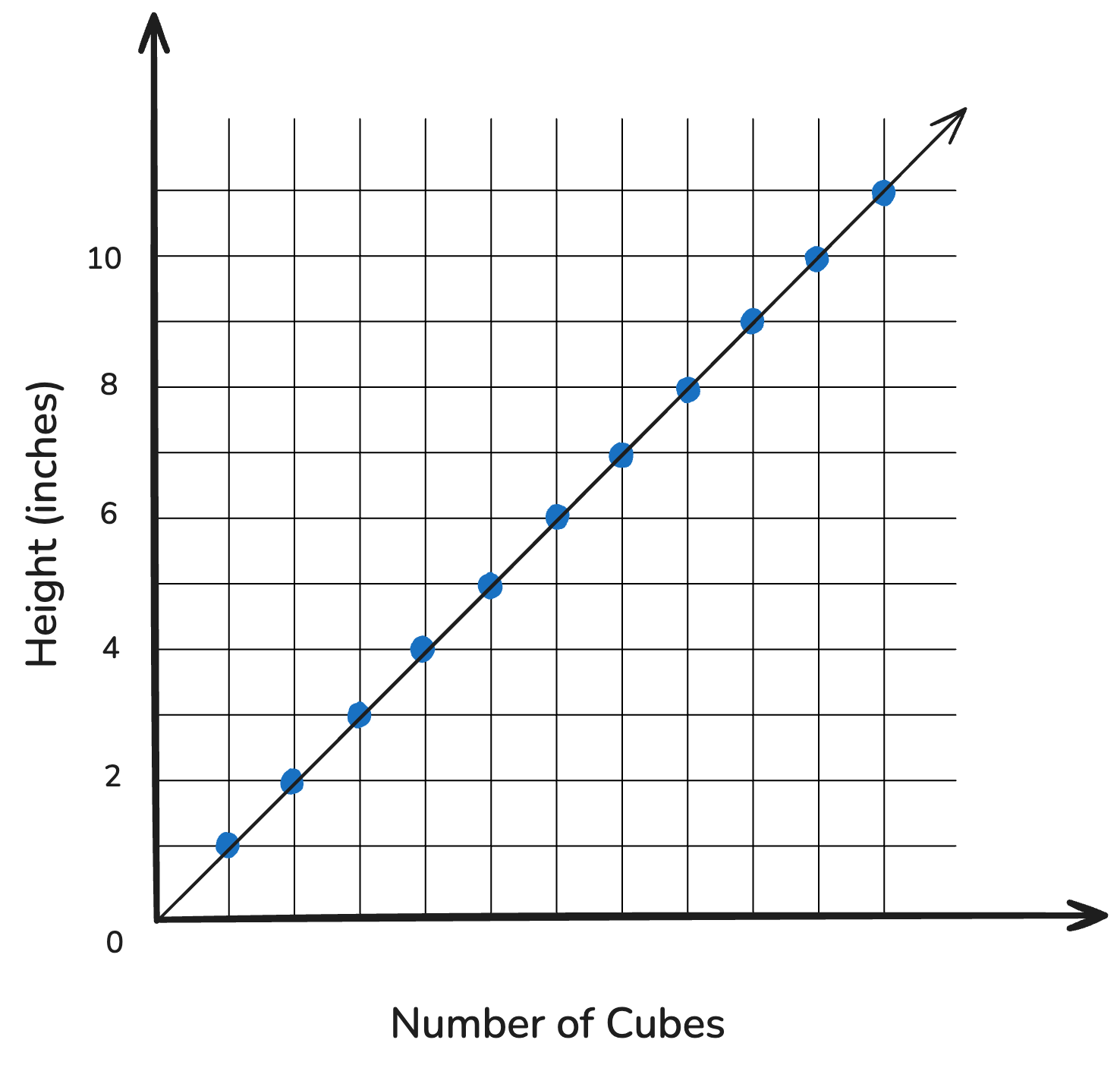

Very clear line with perfect cubes

Need regression — the mathematical best-fit line

Smokey Buoy: Regression


  • The buoy also uses regression to predict nitrate levels.
  • Let’s learn a bit more about this!

🔬
Regression Activity — Pt. I:
RGB and Scatterplots

Averaging RGB


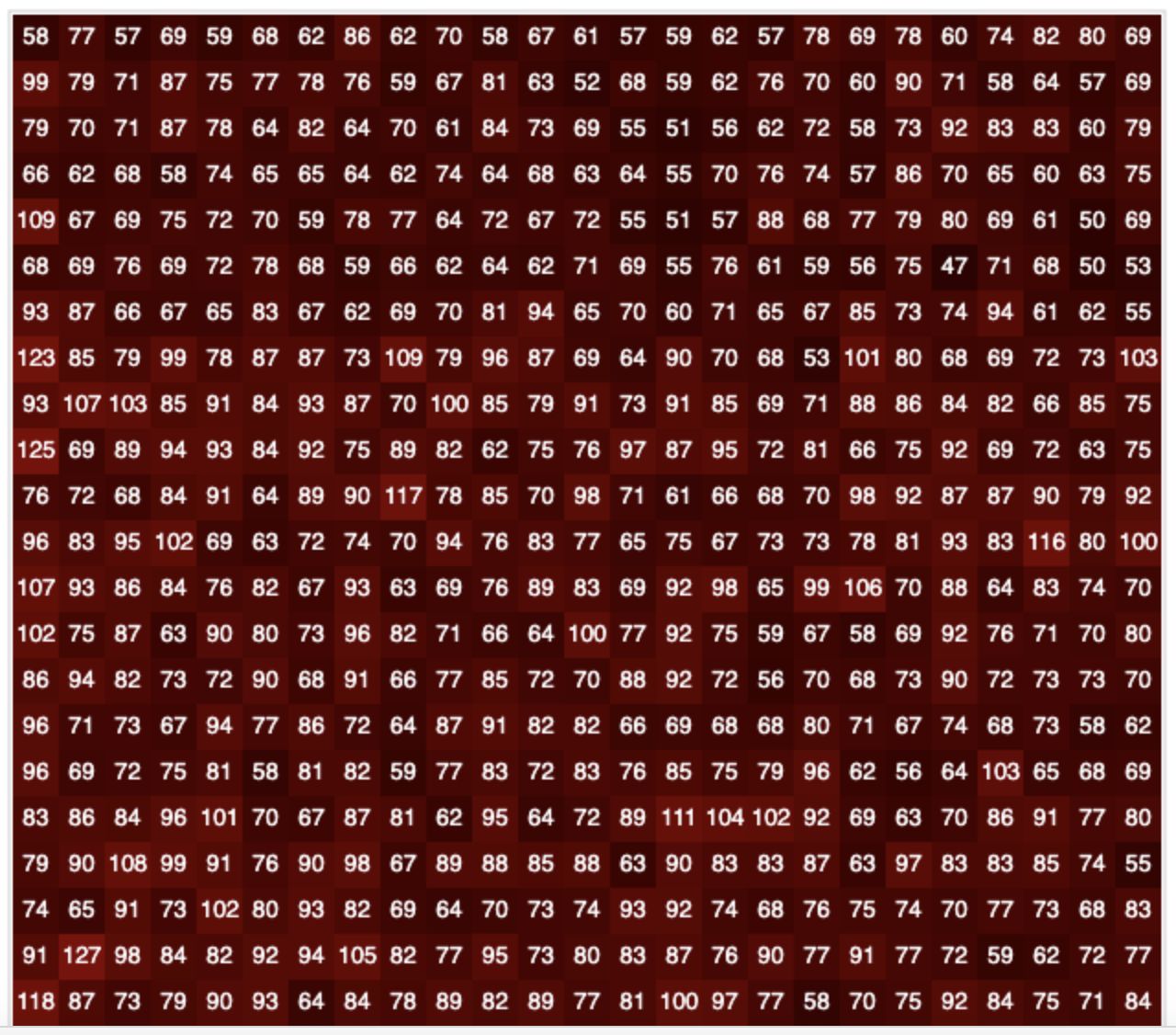
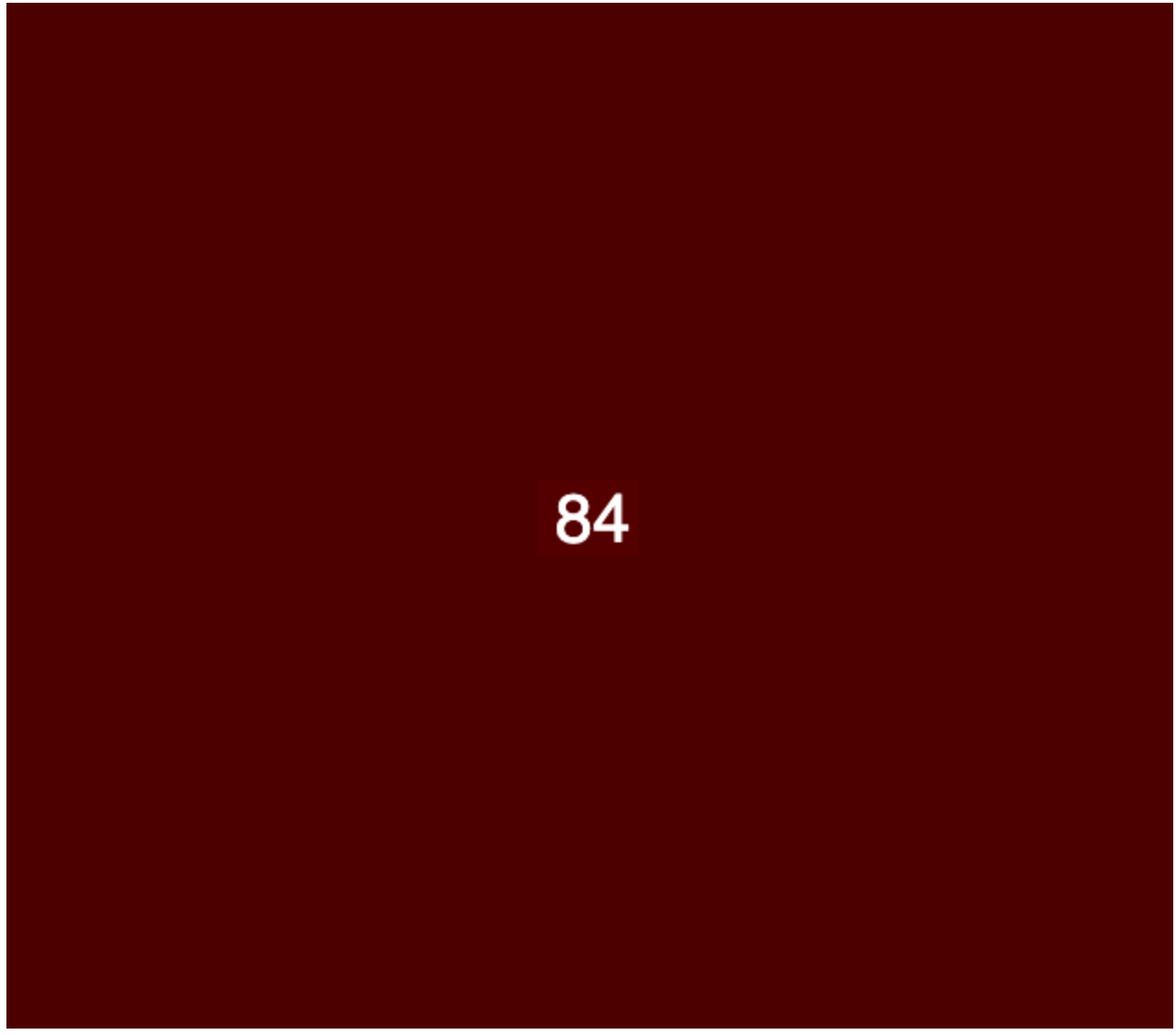
In Workshop #2, we learned how computers “see” color through RGB values. The buoy takes all the pixels for each test pad and finds their mean.
Averaging RGB


In Workshop #2, we learned how computers “see” color through RGB values. The buoy takes all the pixels for each test pad and finds their mean.
Averaging RGB


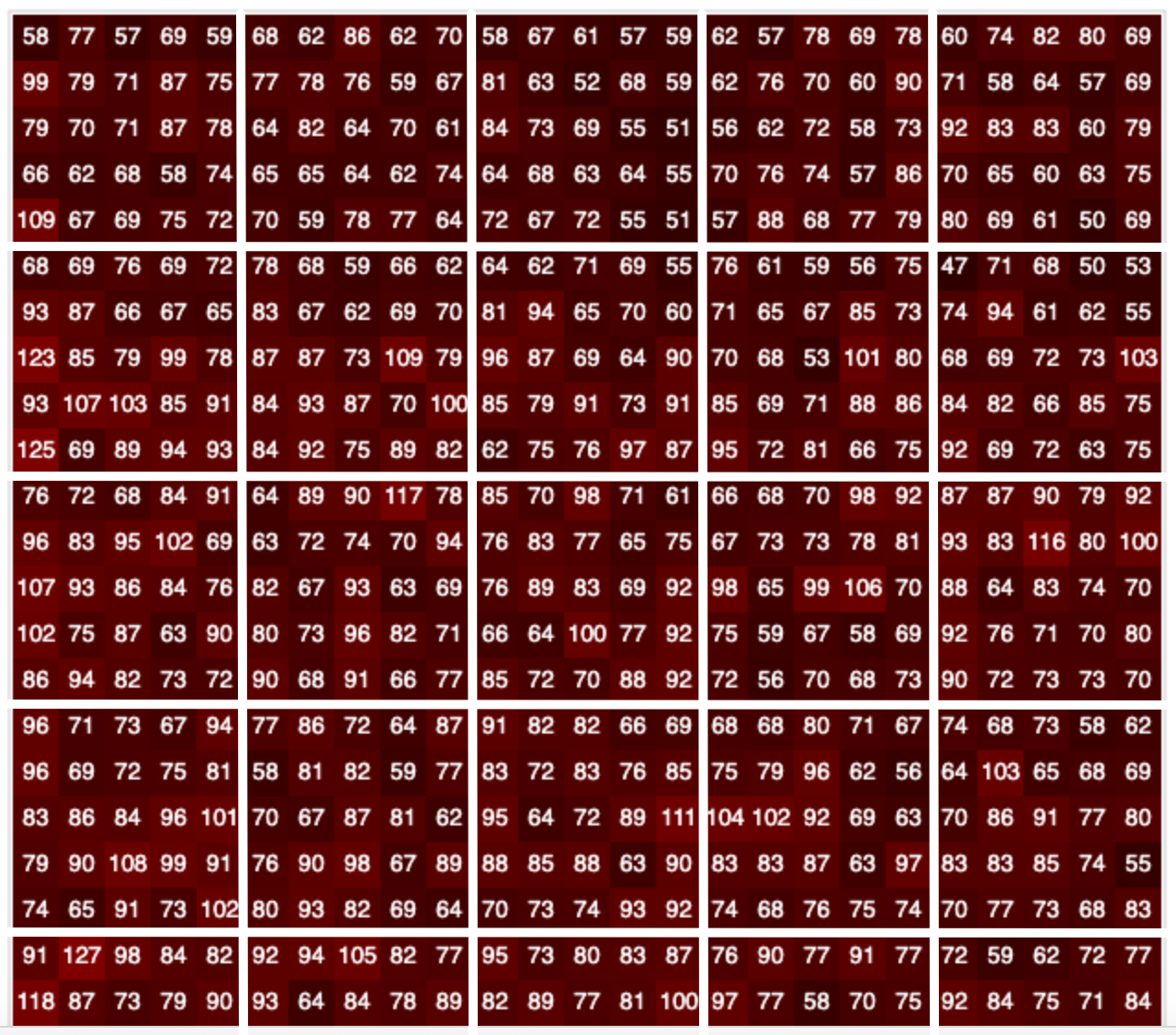
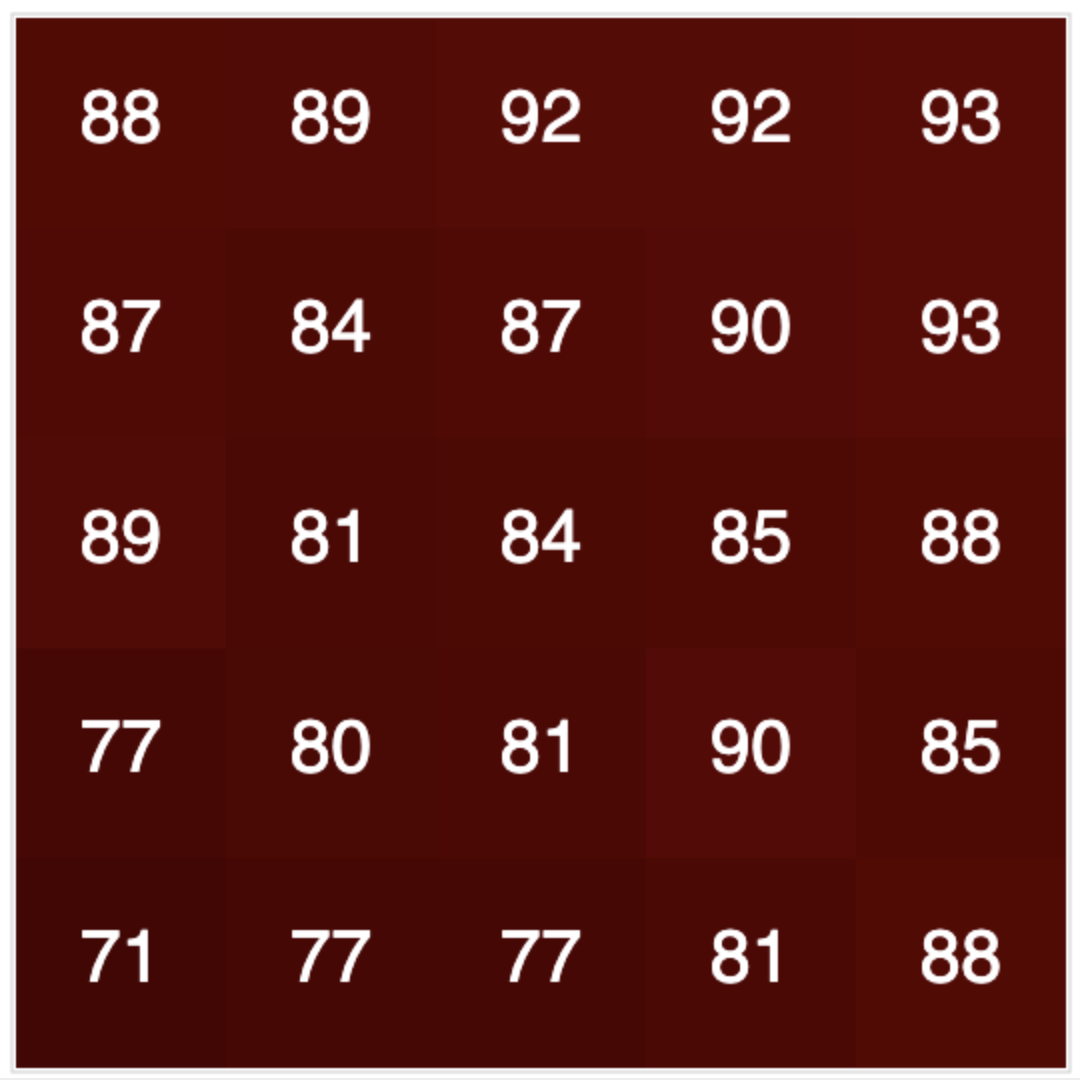
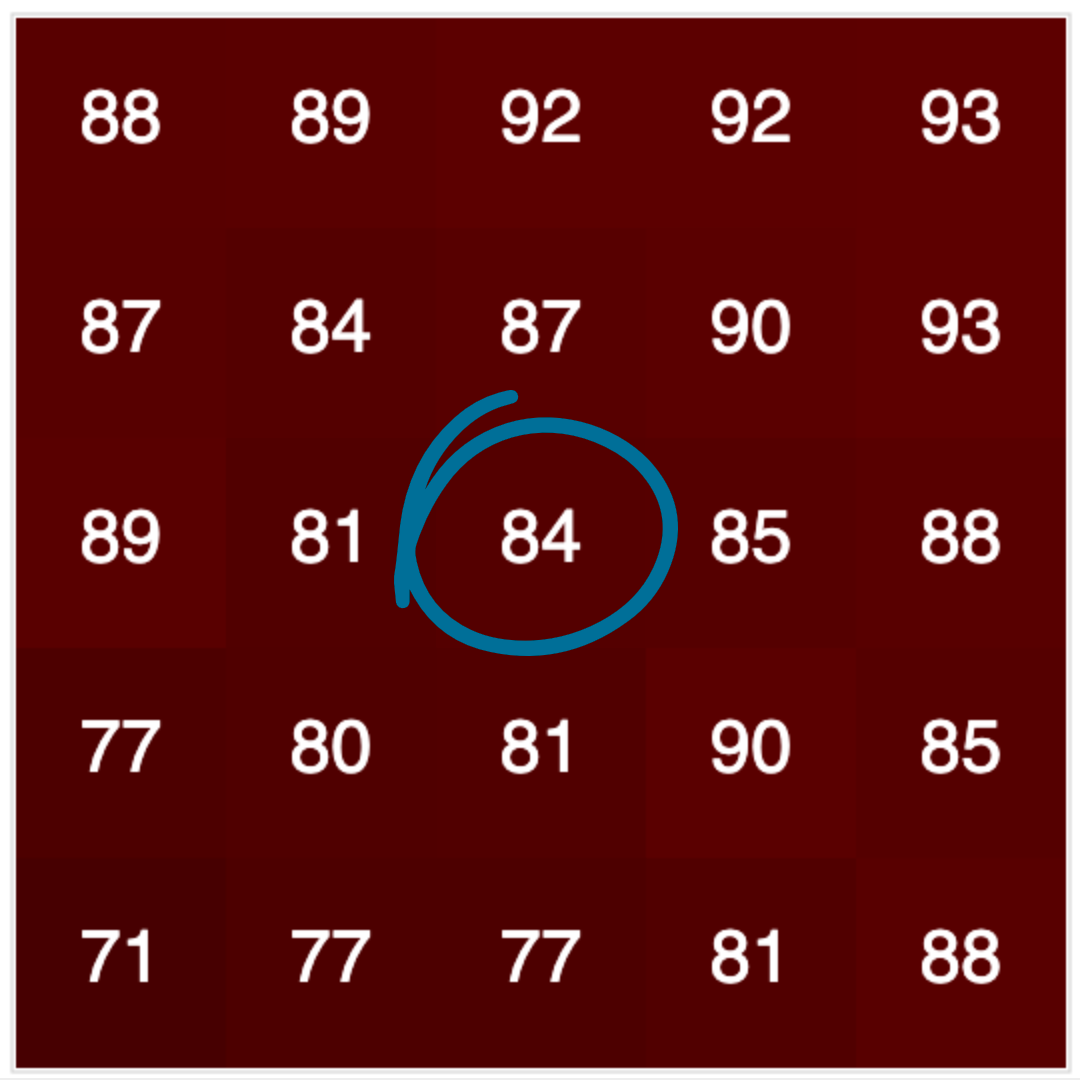
In our applet (for the next activity), we split the pixels into a grid and meaned each section. We will treat the center box like the test pad (use that number).
Averaging RGB


In our applet (for the next activity), we split the pixels into a grid and meaned each section. We will treat the center box like the test pad (use that number).
Averaging RGB


In our applet (for the next activity), we split the pixels into a grid and meaned each section. We will treat the center box like the test pad (use that number).
Averaging RGB


In our applet (for the next activity), we split the pixels into a grid and meaned each section. We will treat the center box like the test pad (use that number).

👨🏽‍🤝‍👨🏿👩🏼‍🤝‍👨🏾👩🏼‍🤝‍👩🏻
Groupwork!

RGB Activity (Pt. I)


Materials Needed:

  • 💻 RGB Applet V2
  • Deck of Purple “Nitrate Test Pad” Cards
  • Pencil / Highlighter (optional)
  • Handout / Dot Stickers
  • Large Graph Paper / Poster Markers

RGB Activity (Pt. I)


🎯 Checkpoint 4. a: Read water quality test data like a computer!

Roles

  • Human Buoy (1 person): Needs the nitrate test cards and computer handy
  • Data Recorders (2+ people): Need handout and pencil

RGB Activity (Pt. I) — Instructions


  1. HB: Open the RGB Applet V2 in a new tab.
  2. HB: Take a deck from your water testing deck and hold it in front of your webcam.
  3. DRs: Using the middle square in the frame, record the RGB values on your handout.
  4. Repeat for all other cards in deck.

RGB Activity (Pt. I) — Instructions


  1. When finished, make sure all group members have the data values recorded on their handouts.

Activity Pt. II
Scatterplots!

Activity (Pt. II) - Scatterplots


Activity (Pt. II) — Instructions


For this portion, each group is assigned either red, green, or blue, based on the color of your stickers!


Activity (Pt. II) — Instructions


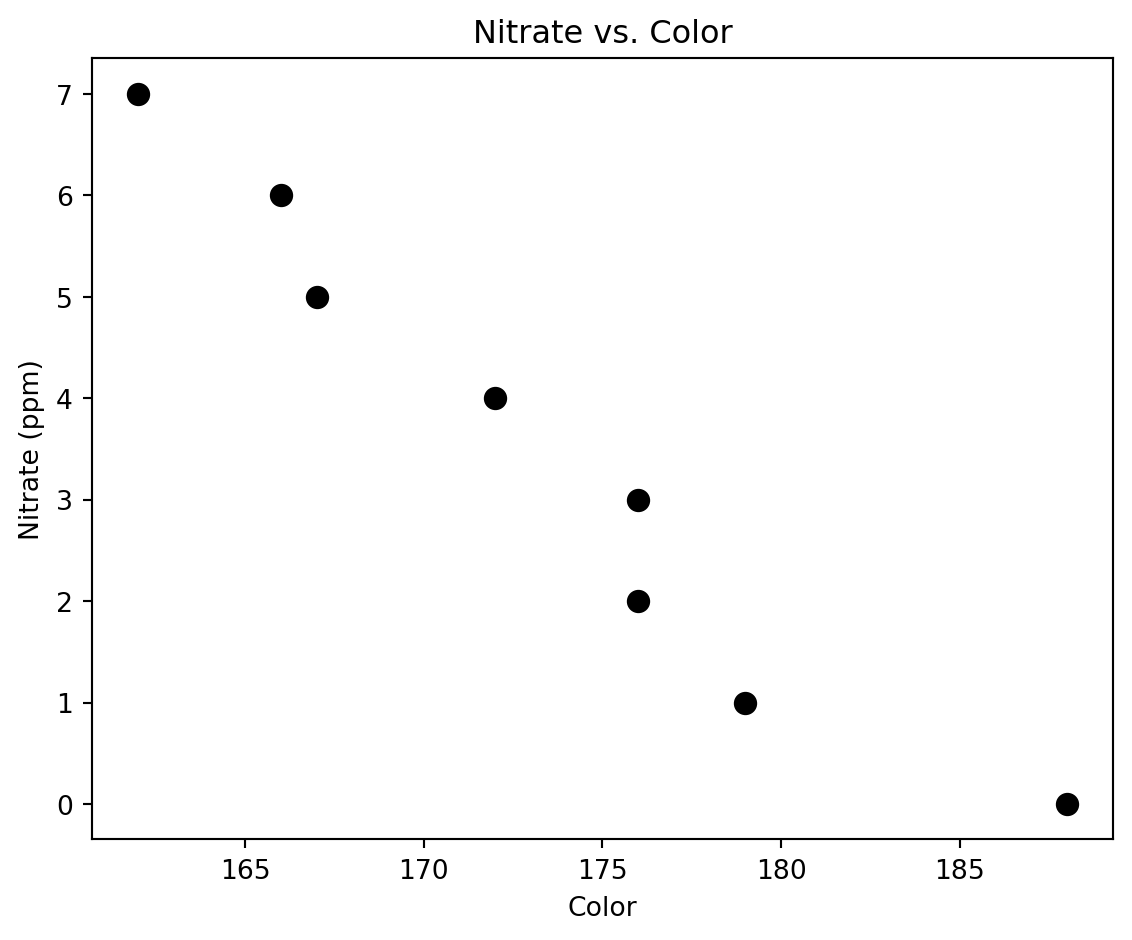
🎯 Checkpoint 4. b: Plotting R, G or B values against nitrate concentrations.

  1. Using the round stickies and graph paper, create a scatterplot.
  2. Color values (R, G, or B — per your group) go on the x-axis.
  3. Nitrate concentrations go on the y-axis.

💻 Activity — Pt. III:
Regression Modeling

Regression Modeling


Storing Your Data


🎯 Checkpoint 5. a: Storing your team’s data in lists!

Replace the ?? placeholders with your color values and nitrate concentrations.

IMPORTANT: Values must be in the exact same order.

Click ▶️ Run Code to store your data.

color_data = [??, ??, ??, ??, ??, ??, ??, ??]
nitrate_ppm = [??, ??, ??, ??, ??, ??, ??, ??]

print(color_data)
print(nitrate_ppm)

color_data, nitrate_ppm = process_data(color_data, nitrate_ppm)
df = process_df(color_data, nitrate_ppm)

Storing Your Data


Replace the ?? placeholders with your color values and nitrate concentrations.

IMPORTANT: Values must be in the exact same order.

Click ▶️ Run Code to store your data.

color_data = [188, 179, 176, 176, 172, 167, 166, 162]
nitrate_ppm = [0, 1, 2, 3, 4, 5, 6, 7]

print(color_data)
print(nitrate_ppm)

color_data, nitrate_ppm = process_data(color_data, nitrate_ppm)
df = process_df(color_data, nitrate_ppm)
[188, 179, 176, 176, 172, 167, 166, 162]
[0, 1, 2, 3, 4, 5, 6, 7]

Recreating Your Team’s Scatterplot


🎯 Checkpoint 5. b: Scatterplots in Python!

Recreating Your Team’s Scatterplot


Replace the ?? placeholders:

  • First blank → x variable: color_data
  • Second blank → y variable: nitrate_ppm

Click ▶️ Run Code to create a scatterplot matching your group’s paper plot.

plt.figure(figsize=(6, 5))
plt.scatter(df["??"], df["??"], s=60, color="black")
plt.title("Nitrate vs. Color")
plt.xlabel("Color")
plt.ylabel("Nitrate (ppm)")
plt.tight_layout()
plt.show()

Recreating Your Team’s Scatterplot


Replace the ?? placeholders:

  • First blank → x variable: color_data
  • Second blank → y variable: nitrate_ppm

Click ▶️ Run Code to create a scatterplot matching your group’s paper plot.

plt.figure(figsize=(6, 5))
plt.scatter(df["color_data"], df["nitrate_ppm"], s=60, color="black")
plt.title("Nitrate vs. Color")
plt.xlabel("Color")
plt.ylabel("Nitrate (ppm)")
plt.tight_layout()
plt.show()

Recreating Your Team’s Scatterplot


🗣️Discussion: Placing the Line of Best Fit


Materials Needed: Complete Scatterplot, Yardstick

With your group, discuss where your regression line will likely fall on your scatterplot. Once your group has made a decision, place your yardstick on top of your scatterplot as if it’s the line.

Note: Lines will likely vary across groups, given that you are working with different color channels!

Running the Linear Regression


🎯 Checkpoint 5. c: Running a regression in Python!

Replace the ?? placeholders:

  • First blank → x variable: color_data
  • Second blank → y variable: nitrate_ppm

Click ▶️ Run Code to generate the line of best fit equation.

slope, intercept = linear_regression(??, ??)

print("slope (m):", slope)
print("intercept (b):", intercept)

Running the Linear Regression


Replace the ?? placeholders:

  • First blank → x variable: color_data
  • Second blank → y variable: nitrate_ppm

Click ▶️ Run Code to generate the line of best fit equation.

slope, intercept = linear_regression(color_data, nitrate_ppm)

print("slope (m):", slope)
print("intercept (b):", intercept)
slope (m): -0.2863027806385159
intercept (b): 53.101956745622886

From Regression to Equation


🎯 Checkpoint 5. d: Printing the Regression Equation

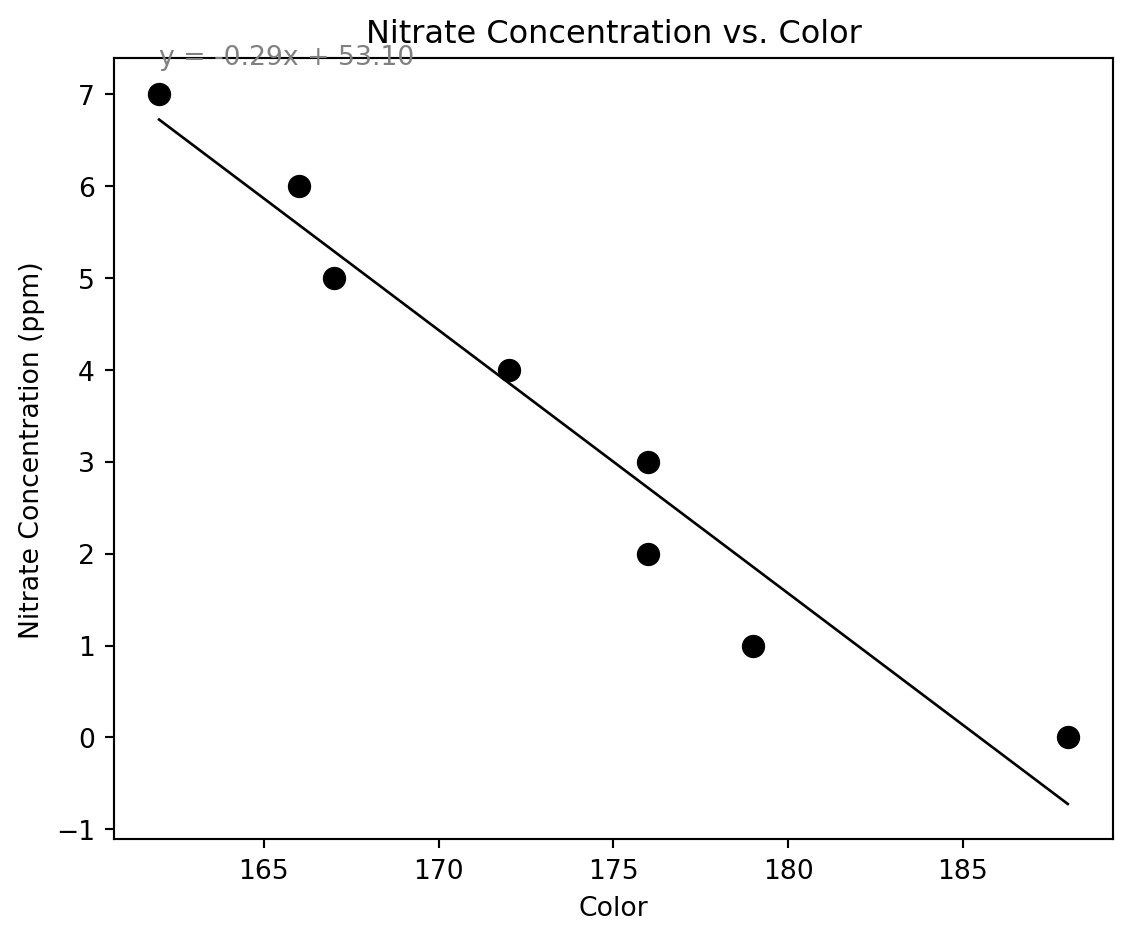
The linear regression produces the equation for the line of best fit.

Remember y = mx + b? We can just substitute!

Click ▶️ Run Code to see the slope-intercept equation.

print(f"y = {slope:.2f}x + {intercept:.2f}")

From Regression to Equation


The linear regression produces the equation for the line of best fit.

Remember y = mx + b? We can just substitute!

Click ▶️ Run Code to see the slope-intercept equation.

print(f"y = {slope:.2f}x + {intercept:.2f}")
y = -0.29x + 53.10

Plotting the Regression Line


🎯 Checkpoint 5. e: Plotting regression line in Python

Plotting the Regression Line


Click ▶️ Run Code to plot the scatterplot with the regression line.

nitrate_pred = slope * color_data + intercept

plt.figure(figsize=(6, 5))
plt.scatter(color_data, nitrate_ppm, s=60, color="black")
plt.plot(color_data, nitrate_pred, color="black", linewidth=1)
plt.title("Nitrate Concentration vs. Color")
plt.xlabel("Color")
plt.ylabel("Nitrate Concentration (ppm)")
plt.text(
    min(color_data), max(nitrate_ppm),
    f"y = {slope:.2f}x + {intercept:.2f}\n",
    ha="left", fontsize=10, color="gray"
)
plt.tight_layout()
plt.show()

Plotting the Regression Line


Activity Pt. IV — Draw Line of Best Fit


🎯 Checkpoint 5. f: Plotting regression line on paper

Materials Needed:

  • Poster Markers
  • Completed Scatterplot
  • Yardstick

Activity Pt. IV — Draw Line of Best Fit


Using the exact positioning Python generated, copy the regression line onto your group’s scatterplot. When finished, bring your group’s plot to the front of the class.

🔮 Prediction & R²

Making Predictions — Reload Your Data


🎯 Checkpoint 6. a: Storing your team’s data in lists (again)!

Re-enter your color values and nitrate concentrations.

NOTE: You can copy/paste the two lists from the previous activity.

Click ▶️ Run Code to re-load your data.

color_data = [188, 179, 176, 176, 172, 167, 166, 162]
nitrate_ppm = [0, 1, 2, 3, 4, 5, 6, 7]

# Do not change the code below ------------------------------------
color_data, nitrate_ppm = process_data(color_data, nitrate_ppm)
slope, intercept = linear_regression(color_data, nitrate_ppm)
print(f"Slope: {slope:.2f}, Intercept: {intercept:.2f}")
Slope: -0.29, Intercept: 53.10

Using the Model to Predict


🎯 Checkpoint 6. b: Predicting nitrate concentrations from your regression model (like the buoy)!

Using the Model to Predict


Now that we have our regression model, we can predict nitrate concentrations for new color values — even ones we didn’t measure!

Click ▶️ Run Code, then type any color value into the box to see the predicted nitrate concentration.

show_prediction_plot(color_data, nitrate_ppm, slope, intercept)

Using the Model to Predict


Activity Pt. V: Predict New Concentrations


Materials Needed: - 💻 RGB Applet V2 - Three Additional “Nitrate Test Pad” Cards from Real Buoy Data (with RGB values printed) - Handout / Pencil

Activity Pt. V: Predict New Concentrations


  1. Identify R, G, or B value for the new cards (per your group color).
  2. Use the graphing tool to predict the nitrate concentration (ppm).
  3. Record these predictions on your handout.

🗣️ Share Out: What Are Your Model Predictions?


Sample # Red Model Green Model Blue Model
Sample 1
Sample 2
Sample 3

Compare with the other groups — what do you notice?

How might we improve our model and, therefore, our predictions? :::

🗣️ Discuss: In Your Group


Materials Needed: Handout, Pencil

🎯 Checkpoint 6. e: Stop and Jot: An agriculture scenario

Scenario: A local strawberry farm sells berries at small stands around town. They want to sell out every day! Some days are slower than others, so they’re thinking about offering discounts to sell more. What makes a day slow or busy? What clues could help them predict when to offer a discount?

🎟️
Exit Ticket

🎟️ Exit Ticket


🎉 Great job! You’ve learned so much!

Share what you’ve learned on the Exit Ticket.

🧠
Exercises

🧠 Exercises


Want to practice what we’ve learned?

Try the Exercises.